
Plans and limits
See your current plan, what each plan includes, and how much of your limits you have used.
- Goal
- You know which plan your restaurant is on, what every plan includes, and how close you are to your limits.
- Before you start
- You can sign in to your restaurant
- Any role can look at this page; only the owner can pay
Every restaurant starts on a 14-day free trial. After that you choose a paid plan. The plan decides how many branches, menus, team seats, tables and QR codes you can have, and which ordering modes you can use. All of this is on one page, Subscription & Billing. Everyone on your team can open it, but only the restaurant owner can pay (other roles see "View only").
Open Subscription & Billing
In the sidebar, under Account, choose Subscription & Billing.
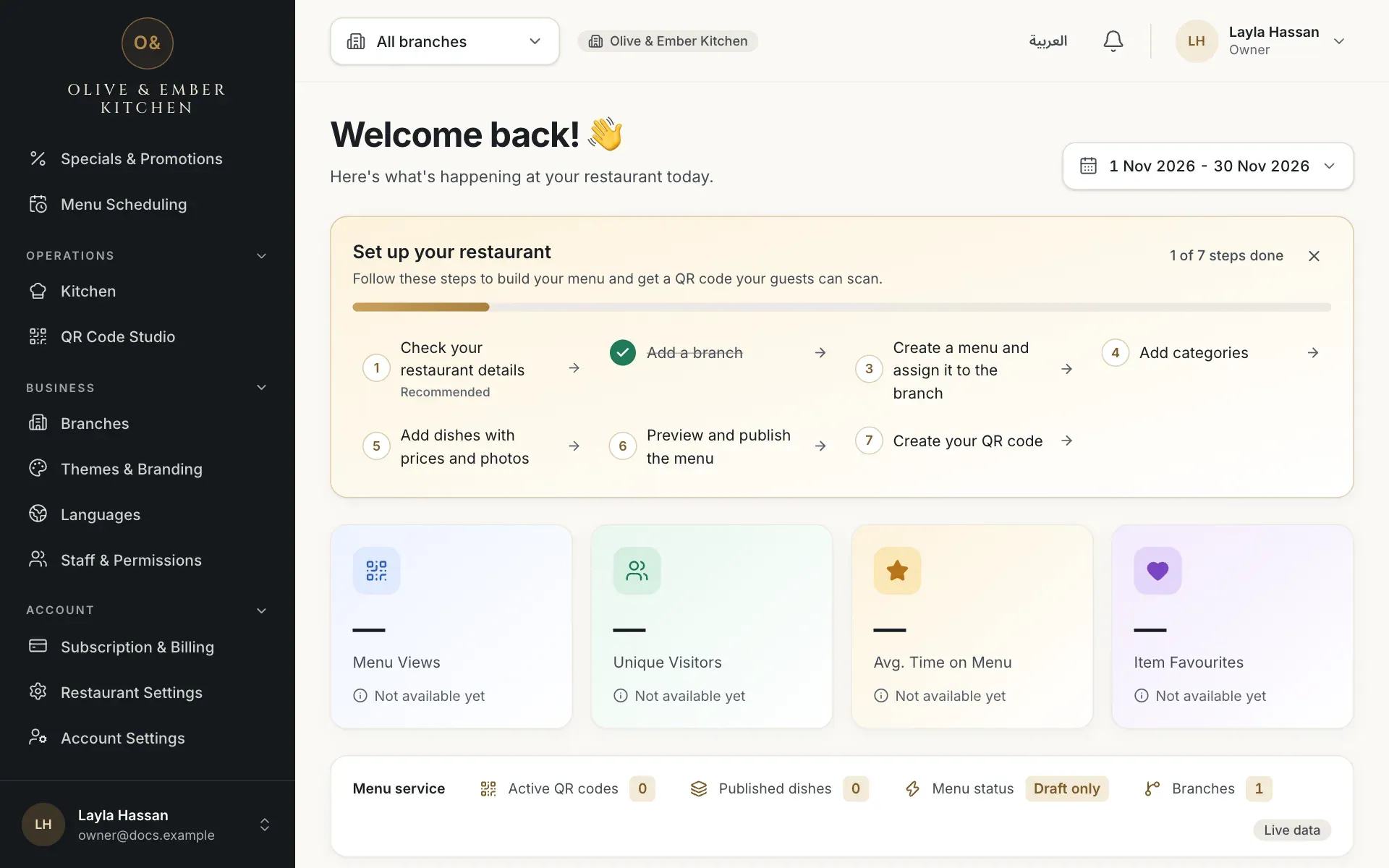
- Subscription & Billing in the sidebar
Read your current plan
The Subscription card shows the plan name, a status badge (Free trial, Active, Grace period, Expired or Cancelled), the date the current term ends and how many days are left. A new restaurant is on the Free trial: 14 days, once per restaurant, no card needed, and nothing is charged when it ends.
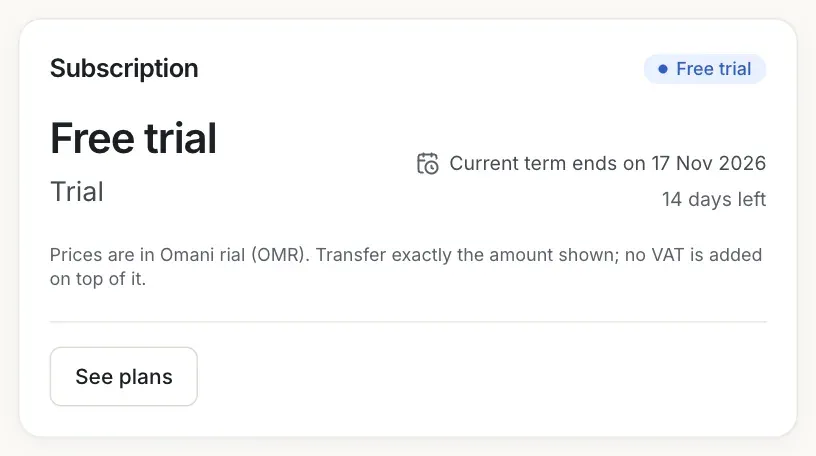
- The status badge
- The date the current term ends and the days left
Check what you have used
The What your plan includes card has one meter for each limit: Branches, Menus, Team seats (including invitations), Tables, QR codes and Media storage (MB). Each meter reads "used of limit". When you are near a limit the meter shows Close to your limit. Below the meters, Ordering modes lists the modes your plan includes (A, B and C).
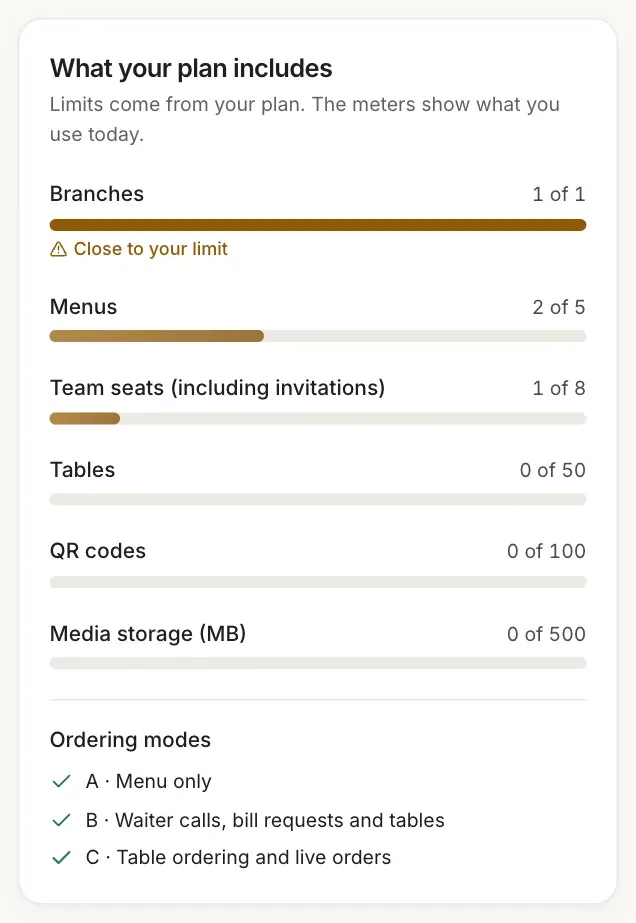
- The Branches meter, full, with the warning
- The Tables meter
- The ordering modes your plan includes
Compare the plans
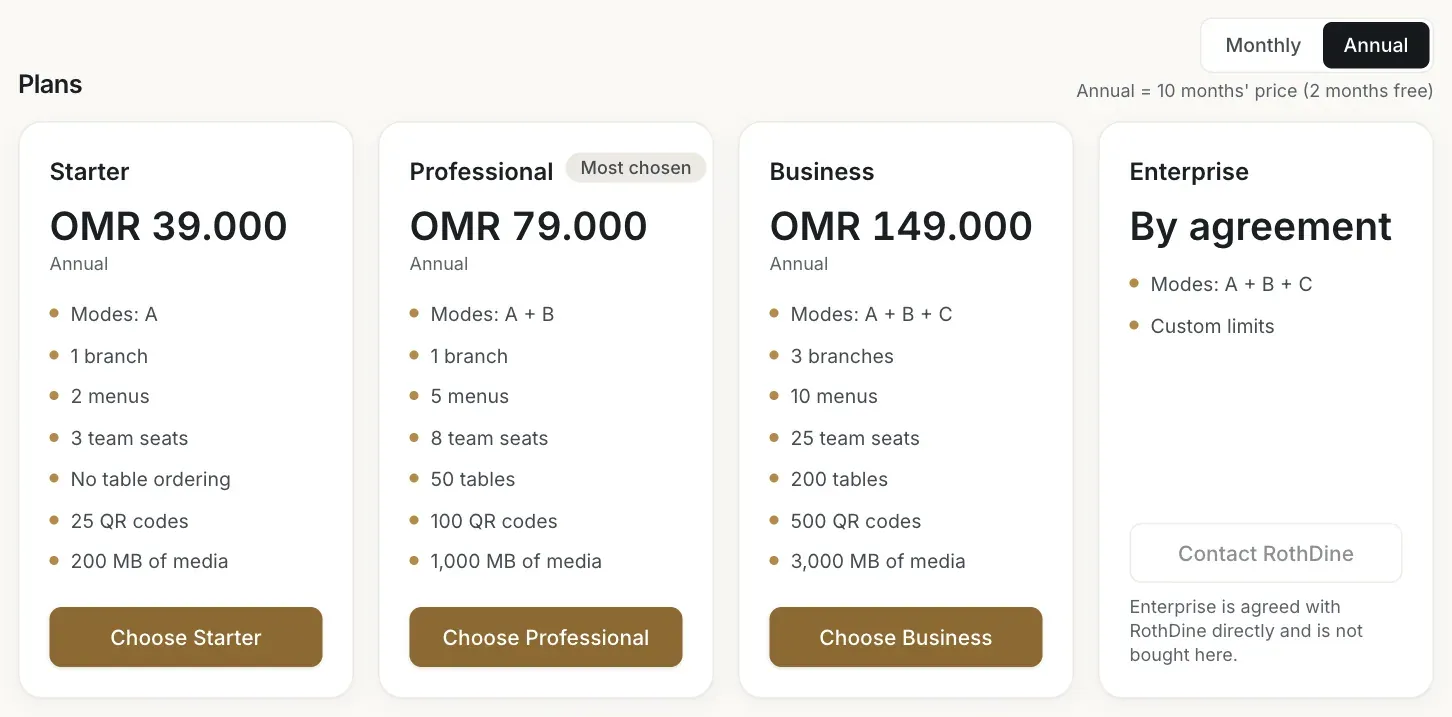
Scroll to Plans. Each card shows the price in Omani rial (OMR), the modes, and the limits for branches, menus, team seats, tables, QR codes and media storage. Prices are final: no VAT is added on top. The Monthly and Annual switch changes the prices.
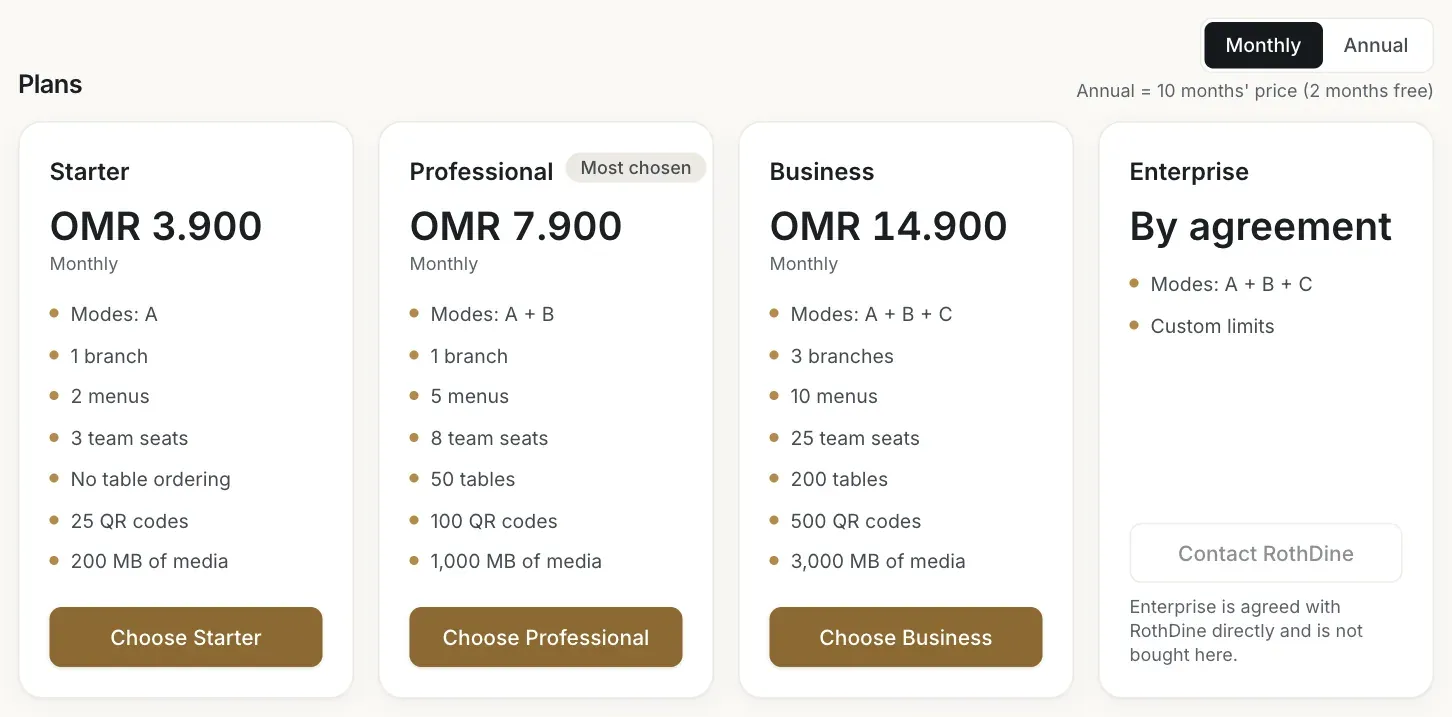
- The Annual switch
- The Starter card
- The Professional card
- The Business card
| Starter | Professional | Business | |
|---|---|---|---|
| Monthly price | OMR 3.900 | OMR 7.900 | OMR 14.900 |
| Annual price | OMR 39.000 | OMR 79.000 | OMR 149.000 |
| Ordering modes | A | A and B | A, B and C |
| Branches | 1 | 1 | 3 |
| Menus | 2 | 5 | 10 |
| Team seats | 3 | 8 | 25 |
| Tables (per branch) | No table ordering | 50 | 200 |
| QR codes | 25 | 100 | 500 |
| Media storage | 200 MB | 1,000 MB | 3,000 MB |
Enterprise is agreed directly with RothDine: the card says By agreement and Custom limits, and its button Contact RothDine is the only way to ask for it.
See the annual prices
Choose Annual. A year costs 10 months of the monthly price, so two months are free. That is the only price reduction in the product.
- The Monthly switch to go back
- The annual price of Professional
Know the renewal rules
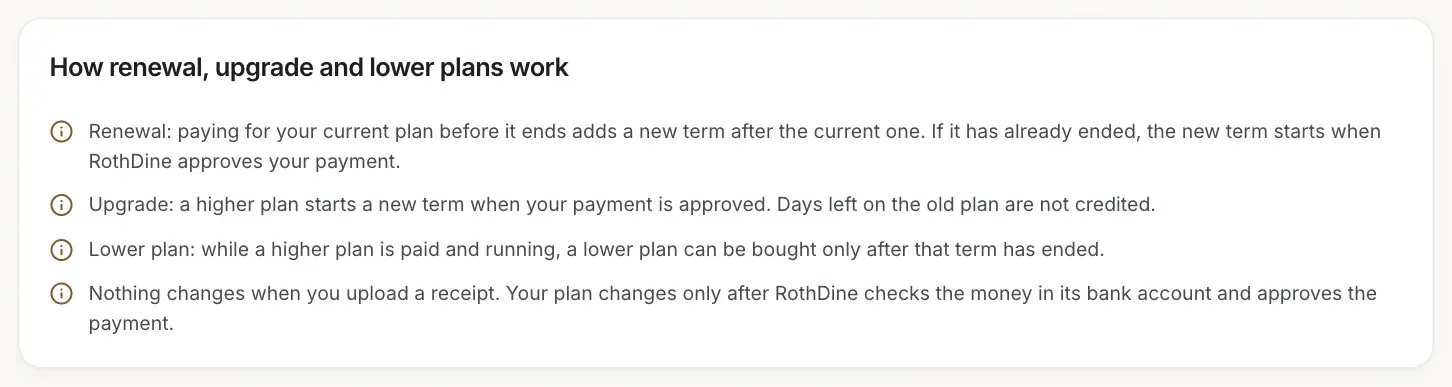
The How renewal, upgrade and lower plans work card explains the three cases. Paying for your current plan before it ends adds a new term after the current one. A higher plan starts a new term when your payment is approved, and the days left on the old plan are not credited. A lower plan can be bought only after your current paid term has ended.
- The renewal rule
- The lower plan rule
Spot what your plan does not include
If your plan does not include something, its meter says Not included in this plan. On Starter, for example, Tables says Not included in this plan and the ordering modes B and C are marked as not included.
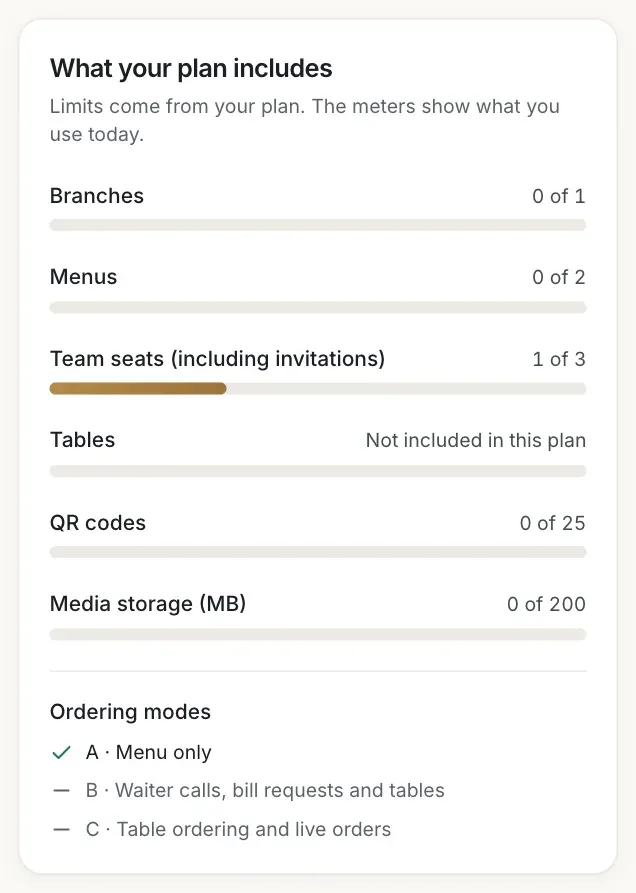
- The Tables meter reading Not included in this plan
Good to know
Limits are checked when you create something new, for example a menu or a branch. Nothing you already have is deleted or switched off when you reach a limit. The plan cards do not list themes: Starter includes two of the seven themes (Signature Luxury and Modern Café), while the free trial, Professional and Business include all seven. If RothDine adjusts a limit for your restaurant, the meter shows Adjusted by RothDine.
Daily order caps on trial and Business
The free trial allows 500 table orders in any 24 hours and Business allows 2,000. Both allow up to 150 open guest sessions per branch. The free trial has Business-level features but smaller limits: 1 branch, 5 menus, 8 team seats, 50 tables, 100 QR codes and 500 MB of media storage.
Troubleshooting
You tried to create something beyond your plan, for example a sixth menu on the free trial. Open Subscription & Billing to see which meter is full, then choose a plan with a higher limit. This message is always shown in English, even when the app is in Arabic.
Your role can see the plan and the meters but cannot pay. Ask the owner of the restaurant to open Subscription & Billing.
RothDine has not set up its bank details for transfers yet, so the plan buttons are switched off. Your restaurant keeps working. Check back later.
Related guides
- Plans & billingPay by bank transferChoose a plan, transfer the exact amount, upload your receipt and follow the request until RothDine approves it.
- Plans & billingRenewals and trial expiryWhat you see 7 days and 1 day before the end, what the 7-day grace period is, what pauses after expiry, and how to renew.
- Getting startedYour 14-day free trialWhat the free trial includes, where you see its end date and what pauses when it ends.