
Your 14-day free trial
What the free trial includes, where you see its end date and what pauses when it ends.
- Goal
- You know what the trial includes, where to see how many days are left and what stops working if you do not choose a plan.
- Before you start
- A restaurant created in RothDine
The free trial starts the moment you create your restaurant and lasts 14 days. It needs no card and it never turns into a paid plan by itself. Only the owner sees the payment buttons; other team members see the same notices without them.
Find your trial on the billing page
In the sidebar, under Account, open Subscription & Billing. A blue notice says when the trial ends and how many days are left, and the Subscription card shows Free trial, the end date of the current term and the days left. What your plan includes shows what you use today against the limits.
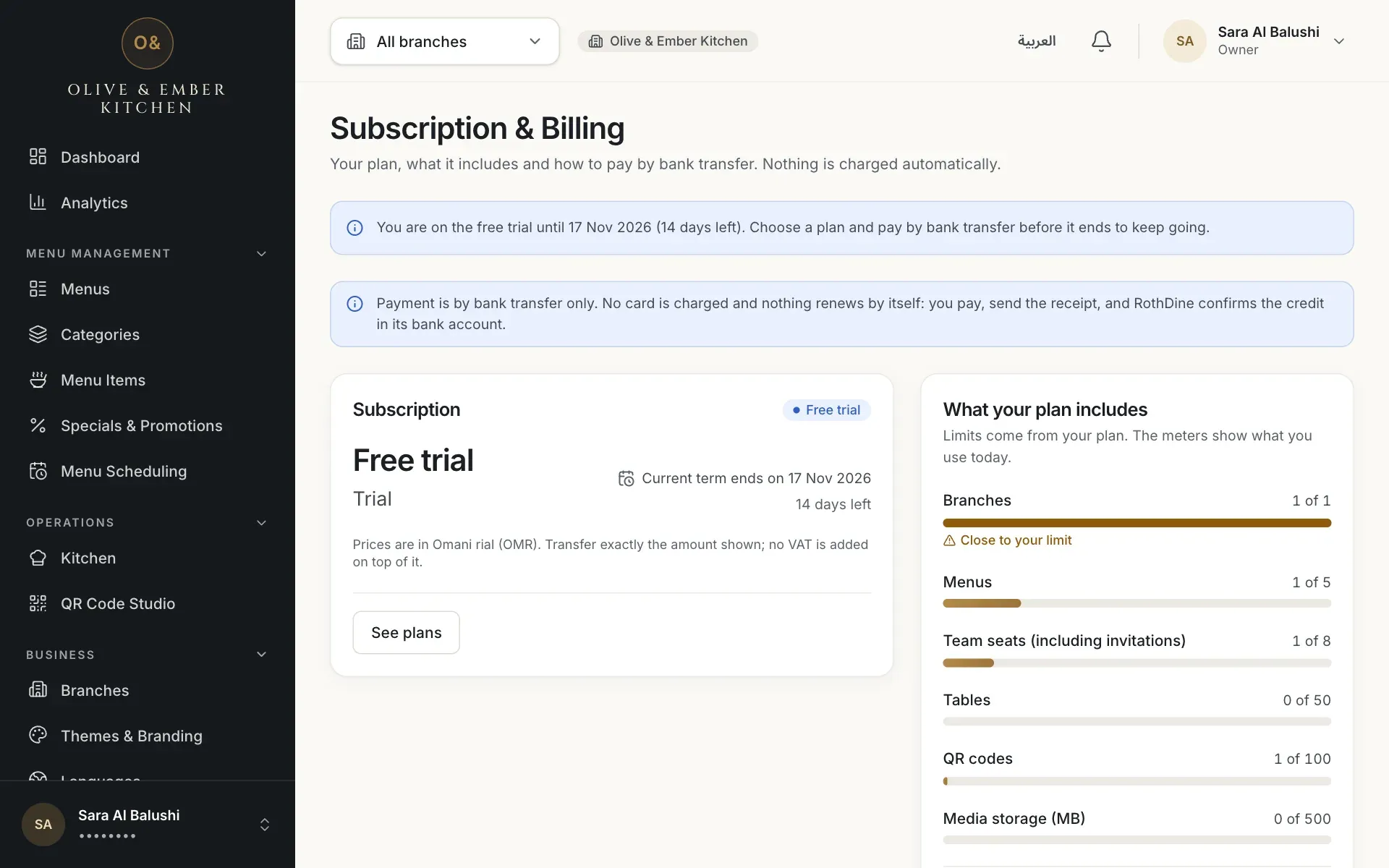
- The notice with the trial end date and days left
- The Subscription card showing Free trial
Know what the trial includes
The trial gives you the features of a full plan so that you can test everything: all three operating modes (A, B and C), 1 branch, 5 menus, 8 team seats (including invitations), 50 tables, 100 QR codes, all seven themes and 500 MB of media. Two safety limits apply: up to 500 orders in any rolling 24 hours (cancelled and rejected orders do not count) and up to 150 open guest sessions per branch. Compare the plans in Plans; the buttons there start a payment by bank transfer, see Pay by bank transfer.
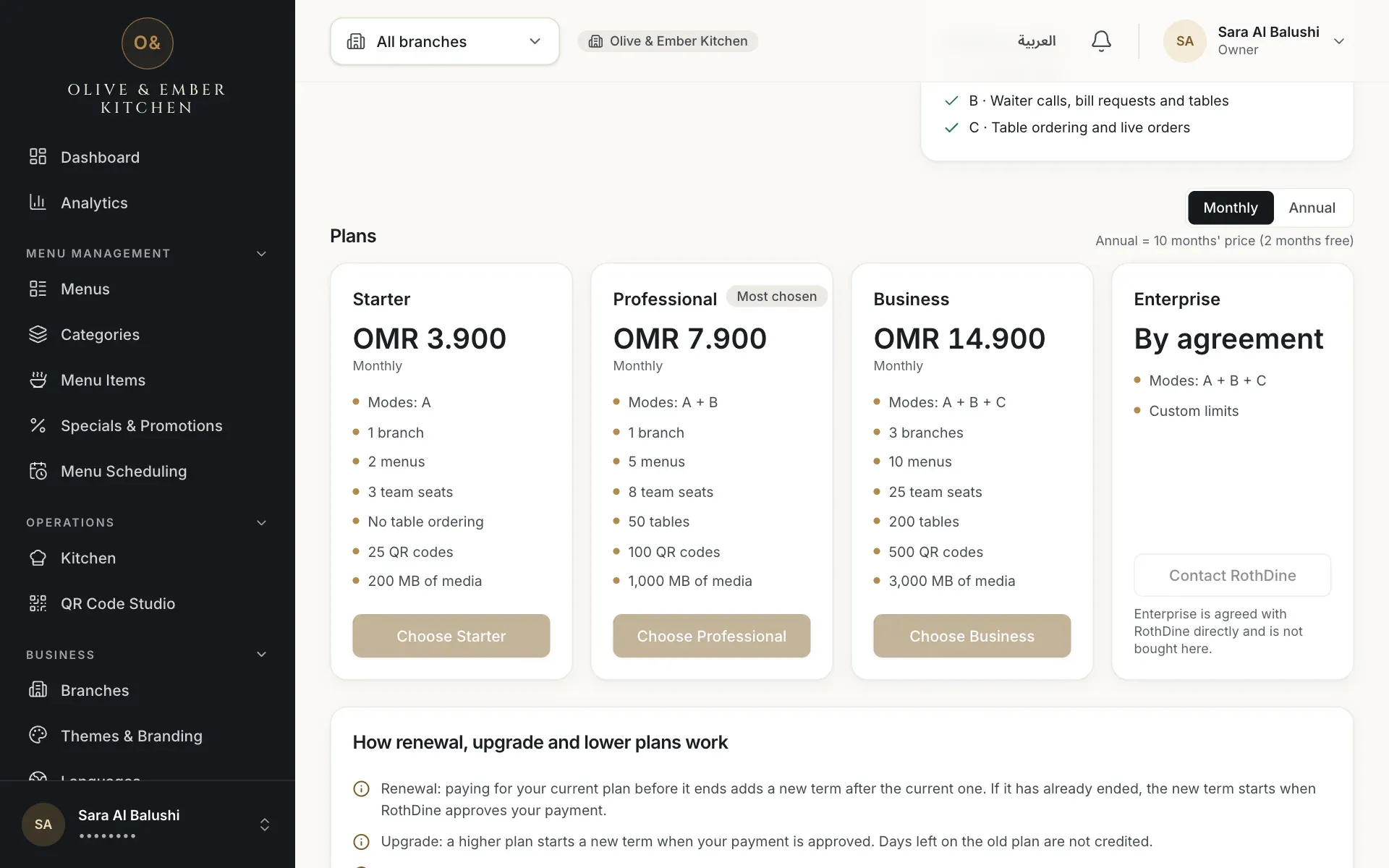
- The plan comparison
Watch for the reminders
Seven days before the end, and again one day before, a notice appears and the dashboard shows a banner: Your free trial ends on {date} ({n} days left). Choose a plan and pay by bank transfer to continue without interruption. The owner sees a Choose a plan button in it. RothDine does not send e-mails or messages for these reminders, so look at the dashboard.
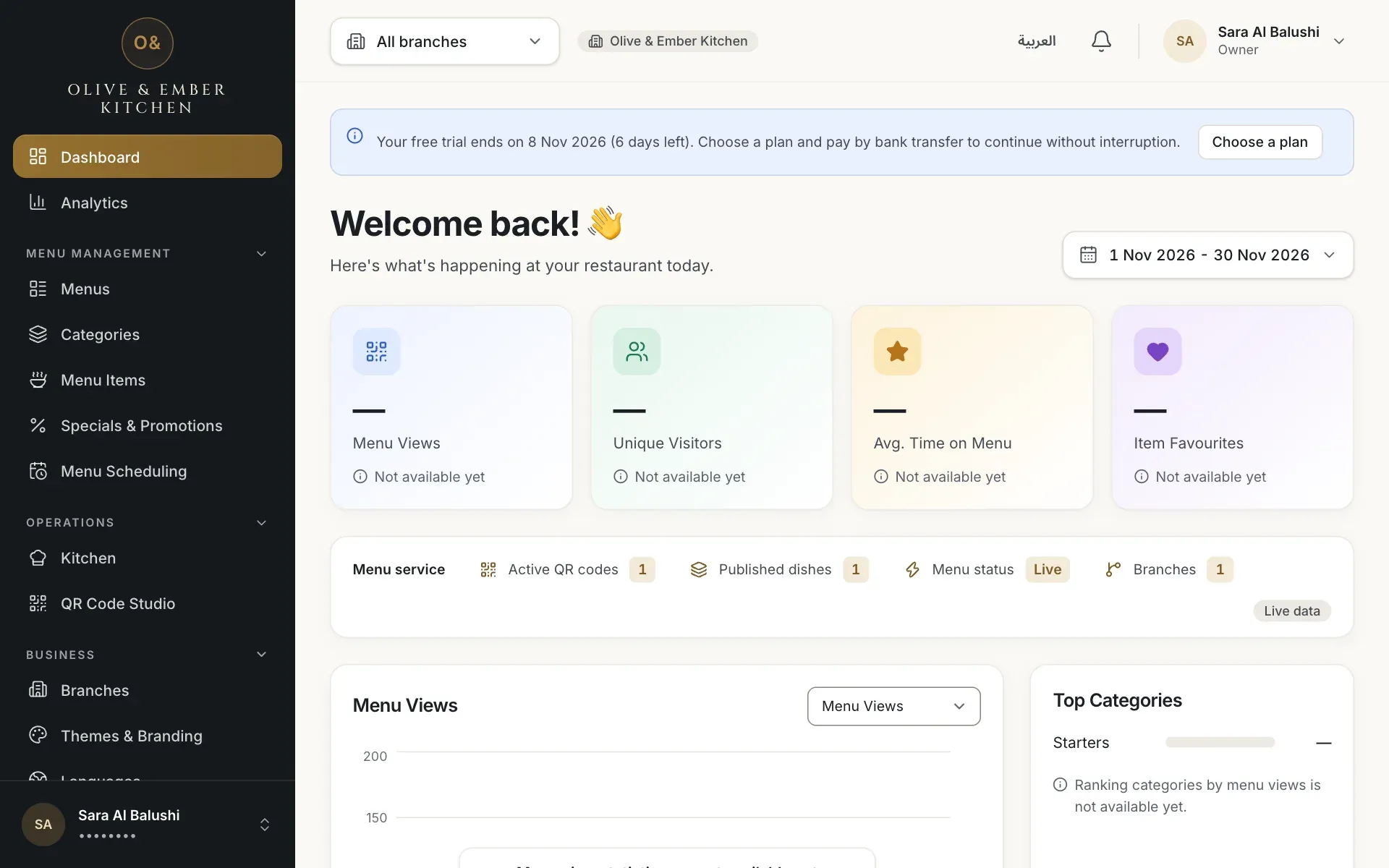
- The trial reminder banner
Know what happens when the trial ends
There is no grace period for a trial. The status becomes Expired and a red banner says Your free trial has ended. Table ordering (Mode C) and publishing new menus are paused. Your menus, QR codes and data are untouched. Choose a plan and pay by bank transfer to resume. On the billing page two lists spell it out: Paused right now is table ordering (Mode C) and publishing new menus; Still working is your published menus and QR codes, waiter calls, the admin and all your data. Nothing is deleted.
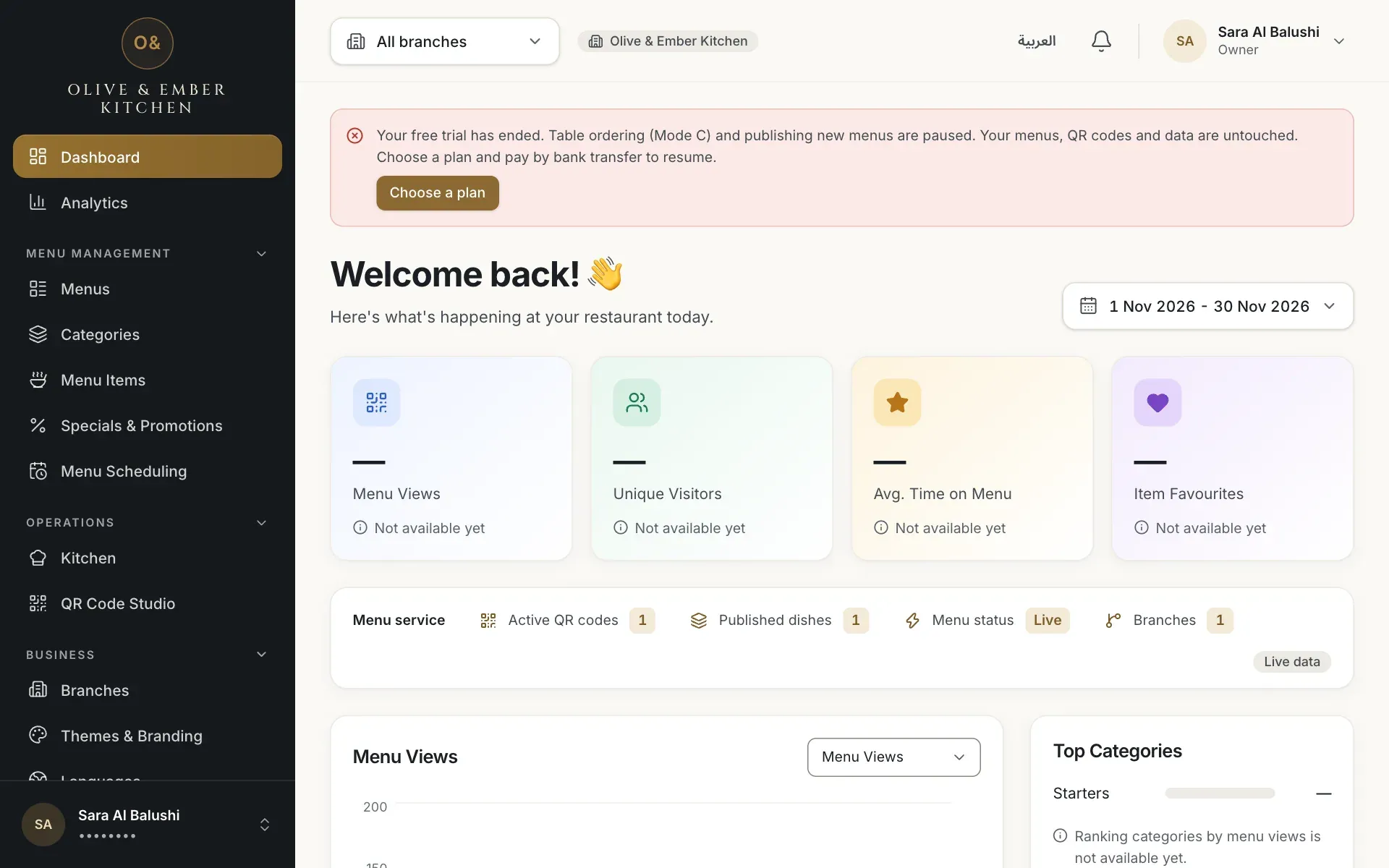
- The trial ended banner
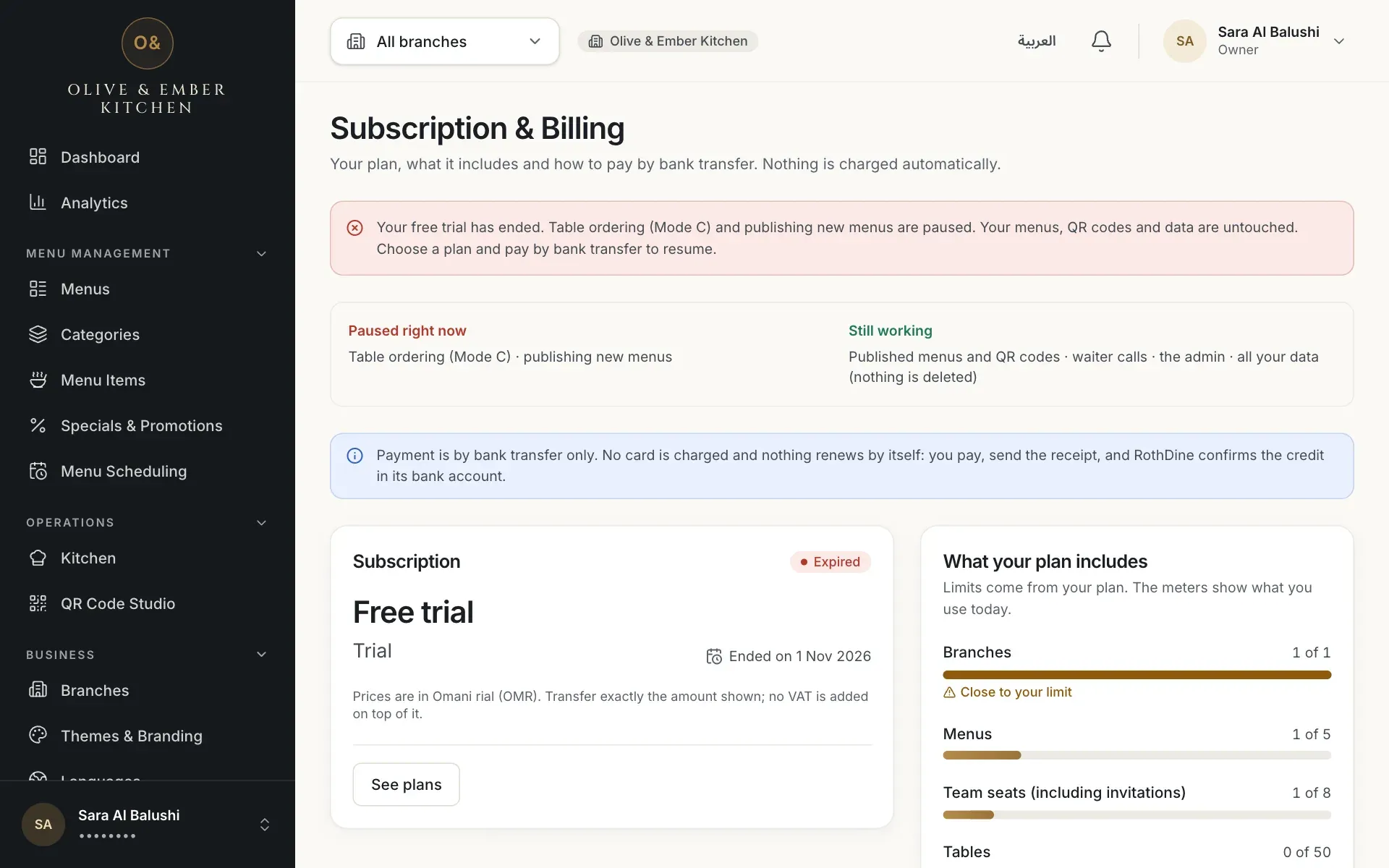
- The expired notice
- What is paused and what still works
Team members
Team members who are not the owner see the banner without payment buttons. It tells them: Please ask the owner to choose a plan.
Troubleshooting
The trial has ended. Guests can still read your menu and call a waiter, but they cannot place orders from the table and you cannot publish. The owner needs to choose a plan and pay by bank transfer.
This is what the Publish button answers after the trial. Your draft is safe. Publishing works again once a payment is approved.
You hit a trial limit, such as one branch or five menus. See What your plan includes on the billing page and Plans and limits.
Only the owner can pay. Ask the owner of the restaurant to open Subscription & Billing.
Related guides
- Plans & billingPlans and limitsSee your current plan, what each plan includes, and how much of your limits you have used.
- Plans & billingPay by bank transferChoose a plan, transfer the exact amount, upload your receipt and follow the request until RothDine approves it.
- Plans & billingRenewals and trial expiryWhat you see 7 days and 1 day before the end, what the 7-day grace period is, what pauses after expiry, and how to renew.
- Getting startedQuick-start checklistThe seven setup steps on your dashboard, what each one opens, and the shortest road from an empty restaurant to a live QR menu.