
Roles and permissions
Compare the eight roles in RothDine and read the permissions matrix that shows what each role can do.
- Goal
- You know what each of the eight roles can do and can choose the right one for each person.
- Before you start
- You are the owner or an administrator (only they can open the team page)
A role decides what a person can see and change in your restaurant. RothDine has eight fixed roles. You cannot create your own roles or change what a role allows. The screen Permissions matrix lists every permission for every role, and the dashboard follows exactly this list.
Open the Permissions matrix
In the sidebar choose Staff & Permissions and click the tab Permissions matrix. It is read-only: you look at it, you do not change it.
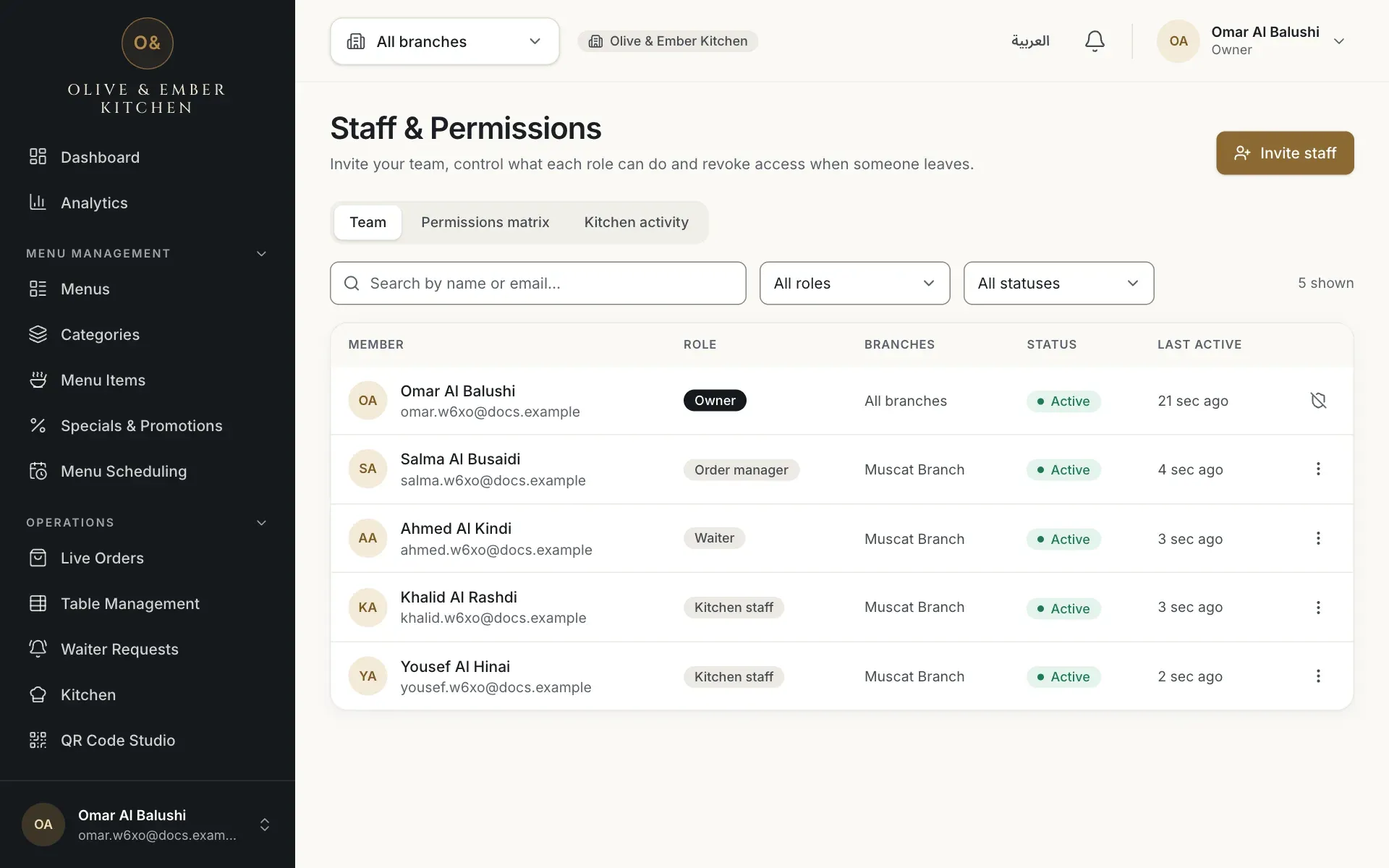
- The Permissions matrix tab
Read the grid
Each row is one permission, for example Manage orders or View the kitchen board. Each column is one role. A tick means the role is allowed, a dash means it is not. Under some role names you see Branch-scoped: those roles apply only to the branches you give to each person. Compare the column of a role with the rows you care about before you invite someone.
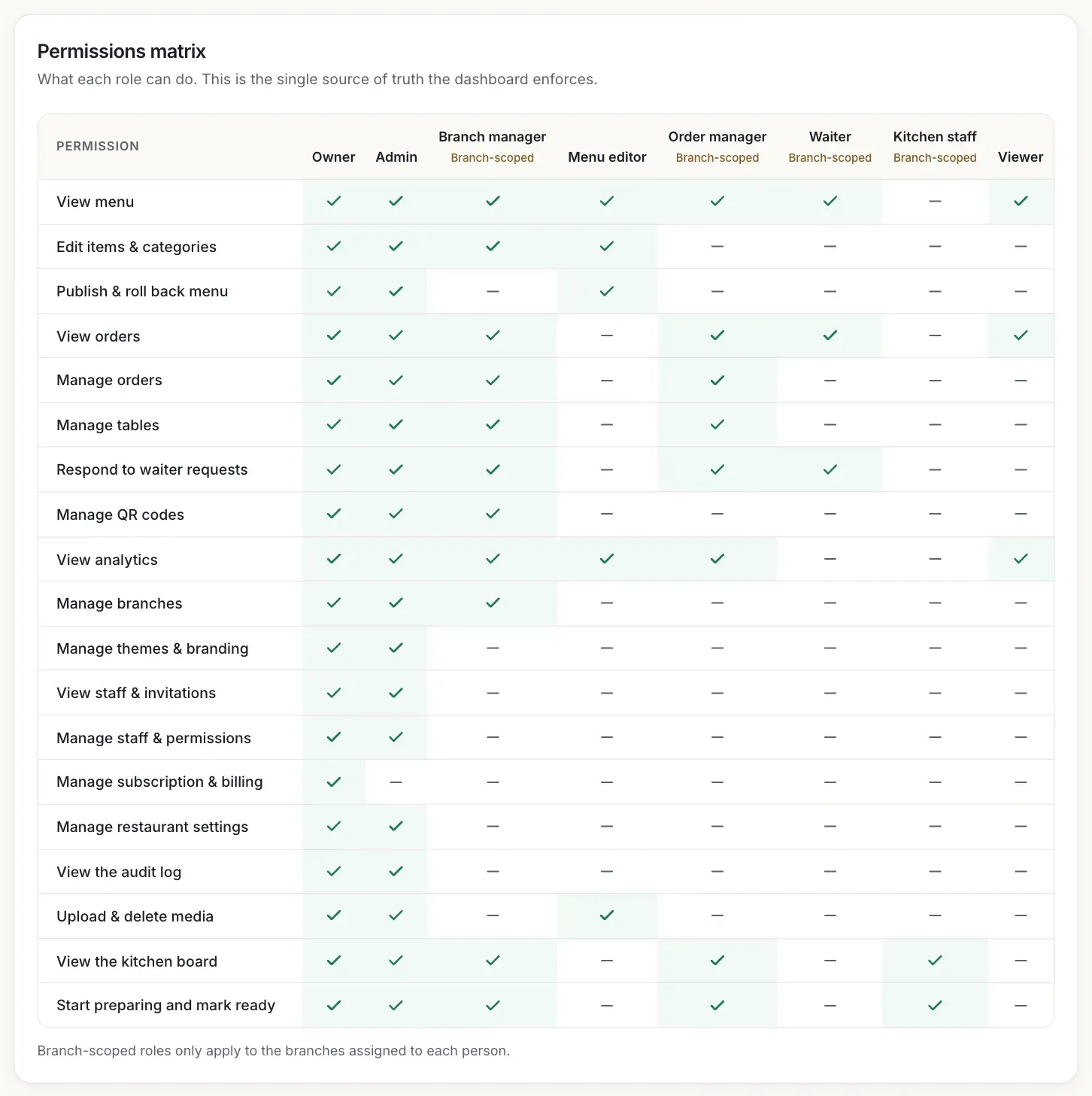
- The Kitchen staff column, marked Branch-scoped
- The row View the kitchen board
- The row Manage subscription & billing, allowed for the owner only
Read the role guide
Below the grid, Role guide describes each role in one sentence and marks the branch-scoped ones. Use it together with the table in this guide to pick a role.
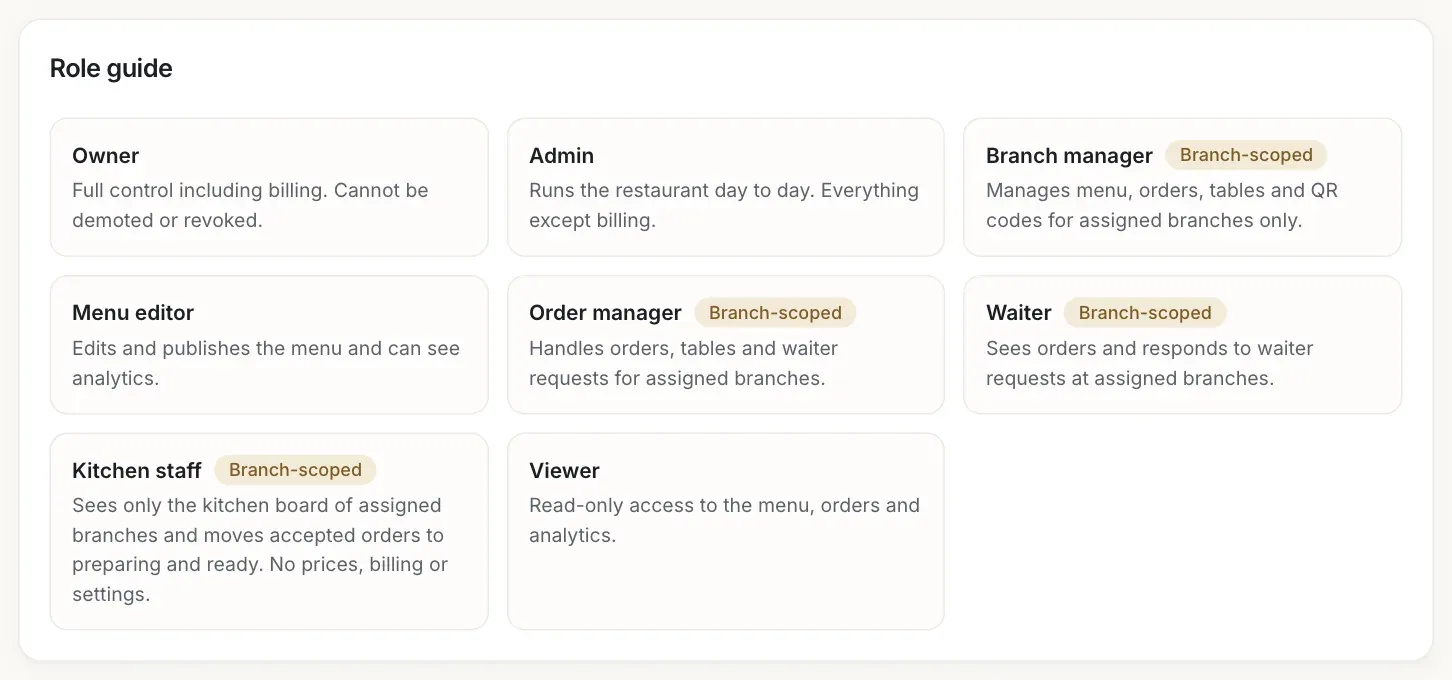
- The Order manager description
- The Kitchen staff description
What each role can do
| Role | Applies to | What the person can do |
|---|---|---|
| Owner | All branches | Everything, including the subscription and payments. Cannot be demoted or revoked. Only the owner can pay. |
| Admin | All branches | Runs the restaurant day to day: everything except the subscription and billing. |
| Branch manager | Branches you assign | Edits the menu (but cannot publish it), manages orders, tables, waiter requests and QR codes, manages the branches, and uses the kitchen board. |
| Menu editor | All branches | Edits and publishes the menu, uploads and deletes photos. |
| Order manager | Branches you assign | Sees and manages orders (including accepting them), manages tables, answers waiter requests, and uses the kitchen board. |
| Waiter | Branches you assign | Sees the menu and the orders and answers waiter requests. |
| Kitchen staff | Branches you assign | Sees only the kitchen board: starts preparing and marks orders ready. No prices, billing or settings. |
| Viewer | All branches | Read-only access to the menu and the orders. |
Only the owner and administrators can see the team, invite people and see the kitchen activity. Settings, branding, languages and subscription pages stay closed to the roles that are not allowed to manage them.
Pages that are visible but read-only
A person can open pages their role may view and cannot change. These pages show a notice, for example Read-only access: your role (Viewer) can view this page but not change it. Kitchen staff are different: they only ever see the kitchen board.
Troubleshooting
The person tried something their role does not include. Check the role in the matrix. If they need more, change their role (see Change or revoke access).
The page opens but its buttons do not work for this role. This is how the role is designed. A person with more rights, or a different role, can make the change.
Some screens, for example Live Orders, appear only for roles that may see orders. Ask the restaurant owner if you need to see orders, tables or waiter requests.
Your role does not include access to staff. Ask an owner or an administrator if you need it.
You cannot change your own role, and you cannot change someone with the same or a higher role. Ask the owner.
Related guides
- Team & permissionsInvite your teamInvite a manager, waiter or other member by e-mail, choose their role and branches, and resend or cancel invitations.
- Team & permissionsChange or revoke accessChange a member's role or branches, pause their access, or remove it, and see what the person sees when access ends.
- Kitchen staffInvite kitchen staffInvite a cook by e-mail, give the person the Kitchen staff role for a branch, and see them join your team.