
Troubleshooting
Find the message you see on screen, learn what it means and how to fix it, grouped by area.
- Goal
- You find the exact message on your screen, understand the cause and know what to do next.
- Before you start
- Have the message in front of you: the titles below are the texts the app shows
- If the fix is not here, write to support (see Contact support)
Messages are grouped by area: accounts and sign-in, menu and publishing, QR codes and tables, orders, team, and billing. Look for the sentence that matches your screen. Each answer gives the cause and the fix. If nothing helps, contact support.
Some messages stay in English
A few messages come from the system and are always shown in English, even when the app is in Arabic: A limit has been reached for this account., Some values are not valid., You do not have permission to perform this action. and This item was changed by someone else. Reload it and try again. Everything else appears in the language you chose.
Accounts and sign-in
The e-mail or the password does not match an account. Check for typing mistakes and use the eye icon to see the password. If you forgot it, choose Forgot password? on the sign-in page. The same message appears when no account exists for that e-mail.
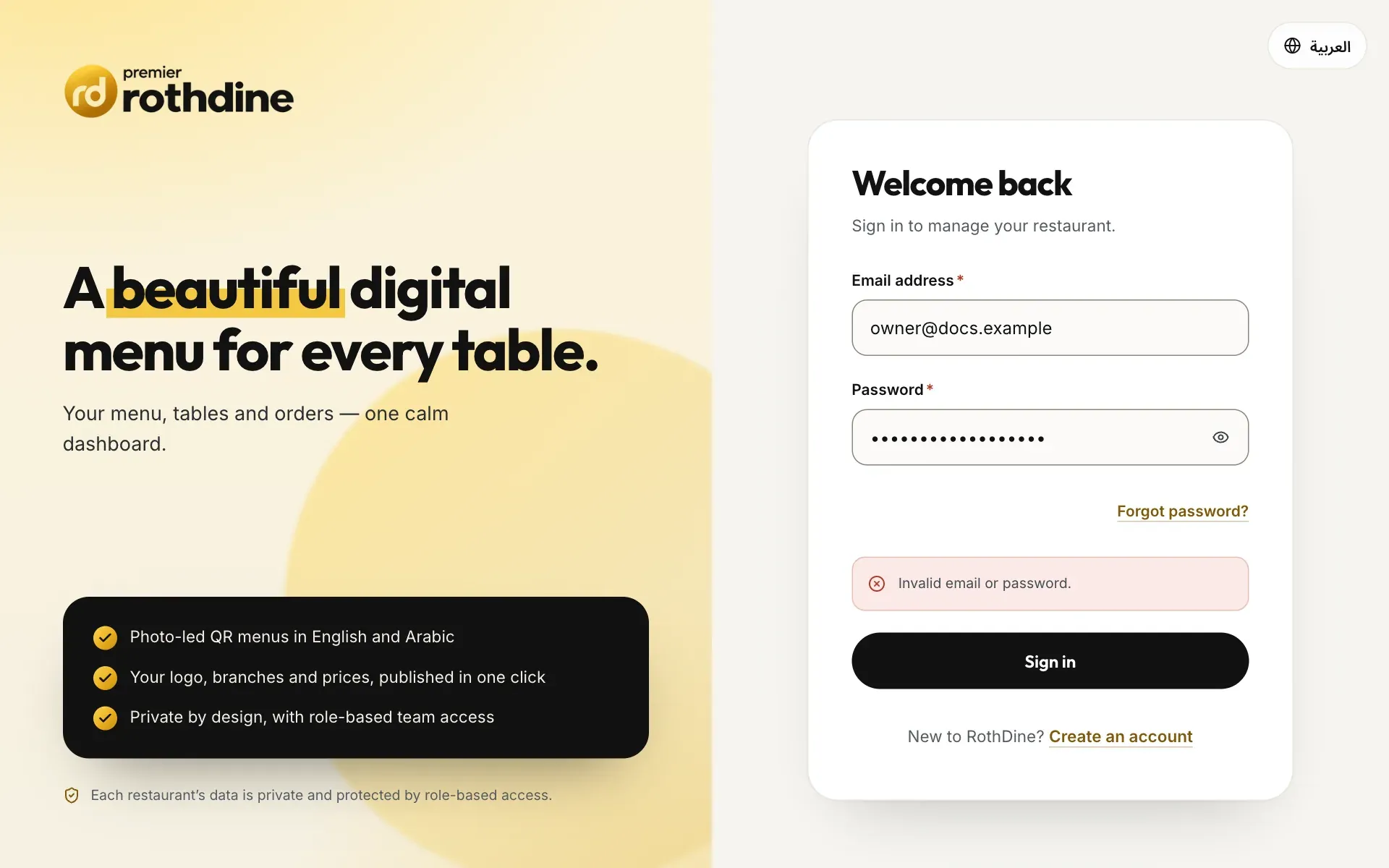
- The error message under the password field
The password is right but you have not confirmed your e-mail. Open the confirmation link in the e-mail we sent when you created the account, then sign in again. Look in your spam folder too.
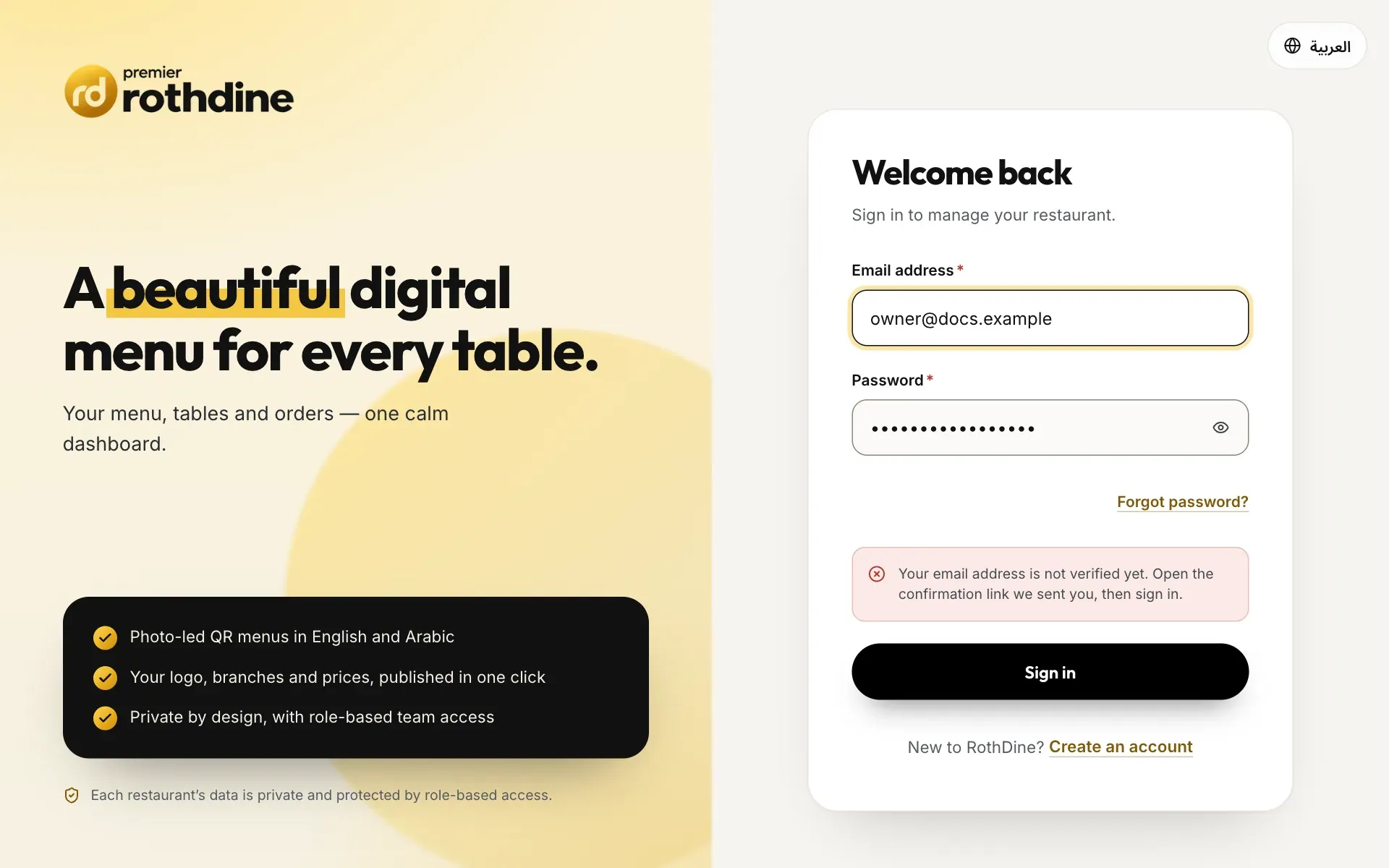
- The message asking you to open the confirmation link
The confirmation link was already used or is too old. If you confirmed your e-mail before, just sign in with your e-mail and password.
A password reset link works once and for one hour only, and it must be opened in the browser where you asked for it. Request a new link from Forgot password? and open it straight away.
You tried to sign in, sign up or reset a password too many times in a short time. Wait a minute, then try once more.
You were signed out for safety after a while. Sign in again and continue.
The RothDine team has paused access to the restaurant. Your data is safe. Contact support to restore access, or switch to another restaurant of yours.
Menu and publishing
Two people edited the same menu together. The page now shows the latest version. Check what changed and repeat your edit.
Another team member saved this dish before you. Reload the page, check the dish and make your change again. This message is always in English.
Menu names must be different. Choose another name for the new menu.
A SKU is an optional code that must be unique for each dish. Use a different code, or clear the field.
The draft is the same as the live menu, so there is nothing to publish. Make a change first.
Only the owner, an admin and a menu editor can publish. Ask one of them to publish your draft.
A published menu reaches guests only at the branches it is assigned to. On the menu card choose Branches, select where it is served, and choose Save branches.
Dish photos and logos must be JPG, PNG or WebP. Photos must also be at most 5 MB: the message This file is larger than 5 MB. Choose a smaller image. means the file is too big.
A field has a value the system cannot accept. Check the fields marked in red, correct them and save again. This message is always in English.
QR codes and tables
Guests who scan a code that was disabled, replaced or does not exist see this page, in English and Arabic together. In QR Code Studio check that the code is enabled. If you replaced the code, print the new one.
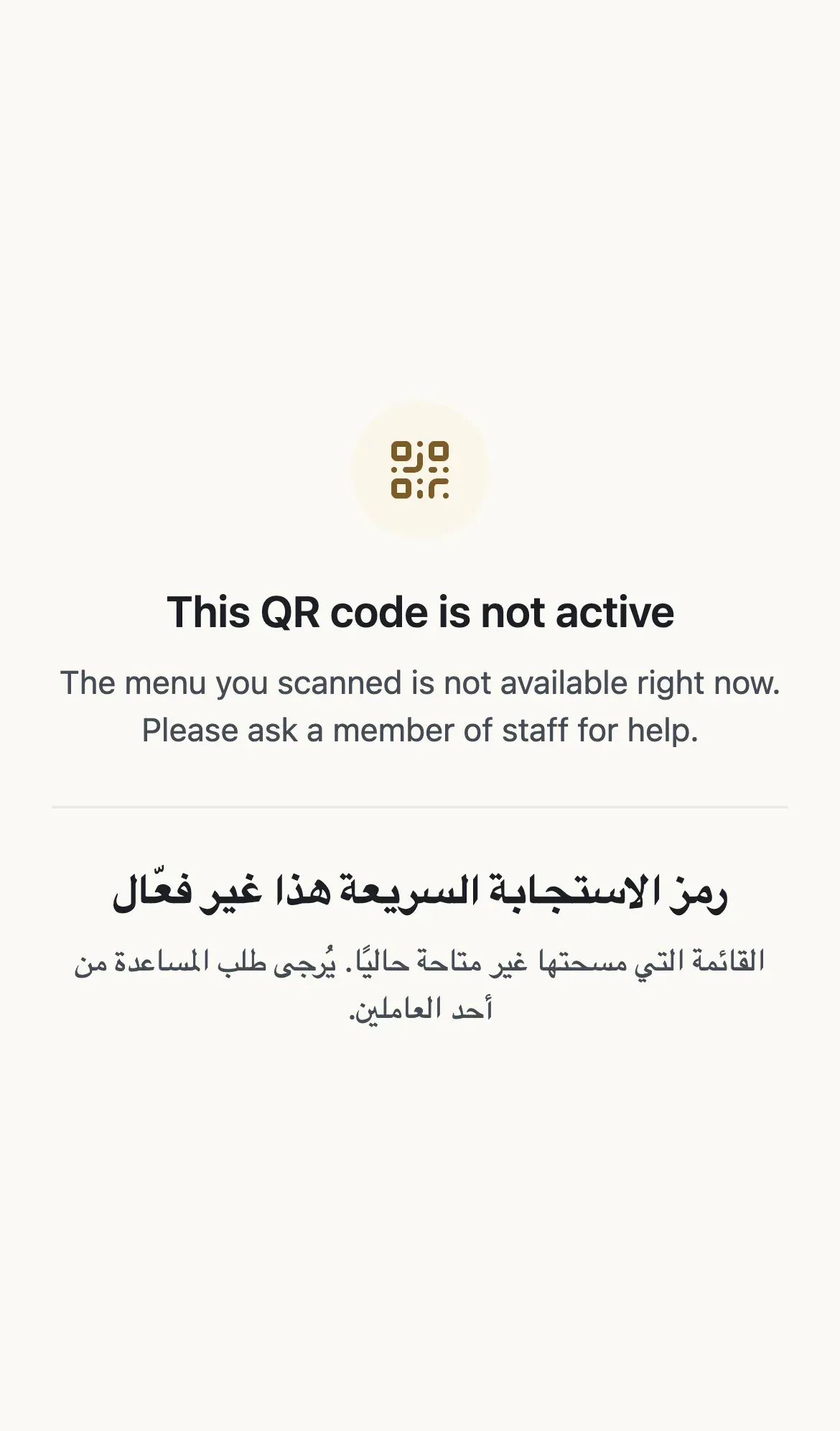
- The message that the QR code is not active
The address does not lead to a menu. Scan the QR code on the table again, or ask a team member. If you are the owner, check that the menu is published and assigned to a branch.
A QR code belongs to a place. Add a branch in Branches, then return to QR Code Studio.
Each table code is unique within a branch. Choose a different code.
A table with open orders cannot be removed. Finish or cancel the orders first, then remove the table.
Orders
Live Orders needs the branch to run in mode C (full table ordering). Choose Go to Branches and set the branch mode, if your plan includes mode C. Waiter Requests show a similar message, Waiter requests are not enabled for this branch, for branches in mode A.
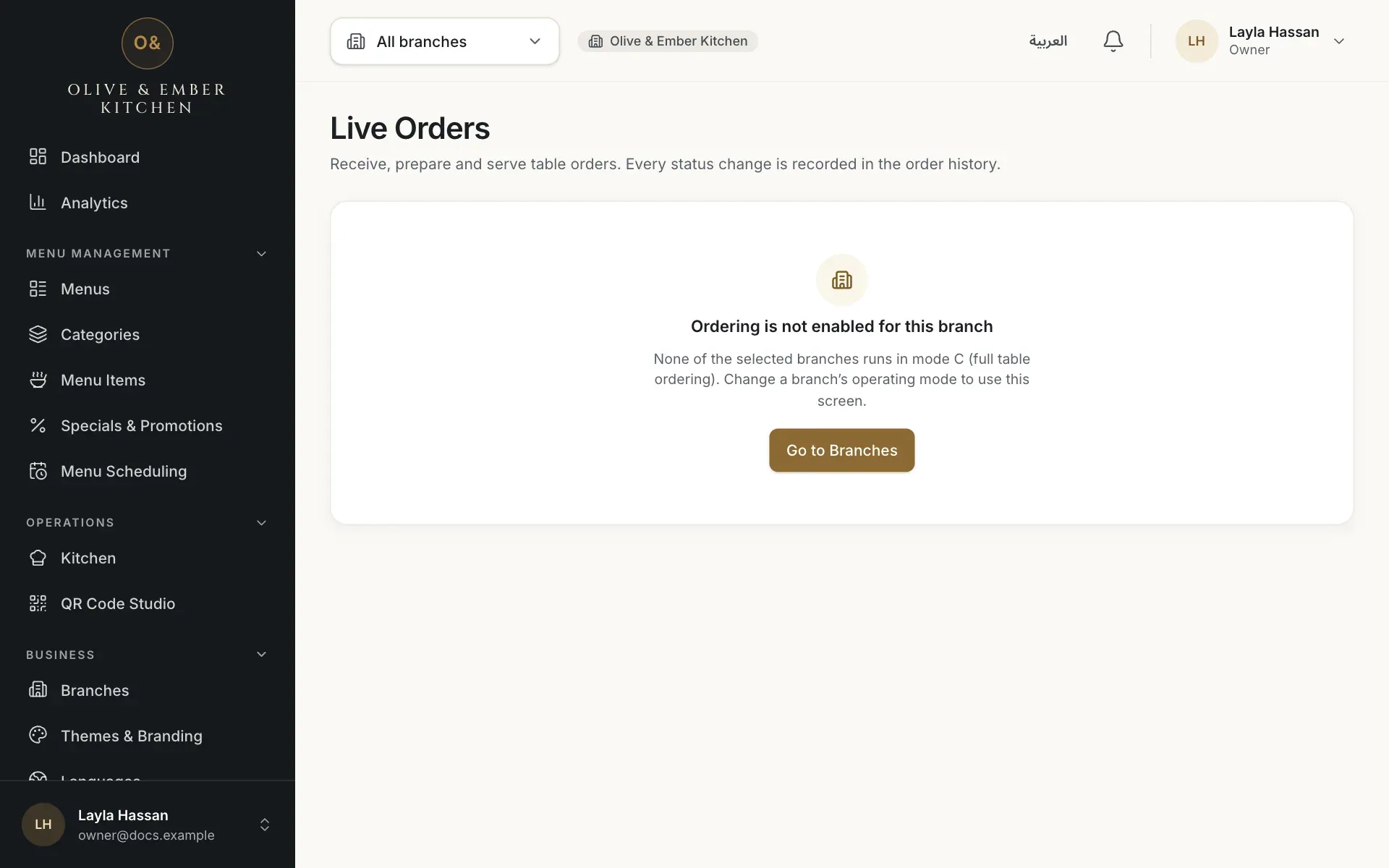
- The message about the branch mode
- The Go to Branches button
Guests see this when ordering is switched off or paused, for example when the subscription has ended or Accept orders is off. See Renewals and trial expiry.
The guest could not send the order because ordering is not available at this table or branch at the moment. Check the branch mode and that the plan includes mode C.
Your restaurant requires staff to confirm each table session. A team member must confirm the guests at that table, and the guest page then updates by itself. The owner can switch this requirement off in Restaurant Settings, under the ordering controls (Require staff to confirm each table session).
The guest's table session is over. The guest scans the table code again to start a new one.
A guest can have at most 3 open orders per table session. Serve one of them, then the guest can order again.
The daily cap on table orders was reached (500 per 24 hours on the free trial, 2,000 on Business). The wording says trial even for paying plans. Orders can be taken again as earlier ones fall out of the 24 hours.
Someone else already changed the order. The board shows the latest status; check it and continue.
The device lost its internet connection. Reconnect and repeat the action.
Team
The invitation link is wrong, expired (invitations last 7 days), was already used, or was sent to a different e-mail address. Sign in with the invited e-mail address, or ask the owner for a new invitation.
Branch manager, order manager, waiter and kitchen staff work at specific branches. Select at least one branch when you invite them.
Your role is not allowed to do this. Ask the owner or an admin, or see Roles and permissions.
The system refused the action for your role. Ask the owner or an admin to do it. This message is always in English.
Your role can look at this page but not change anything. Ask the owner for a role that allows it.
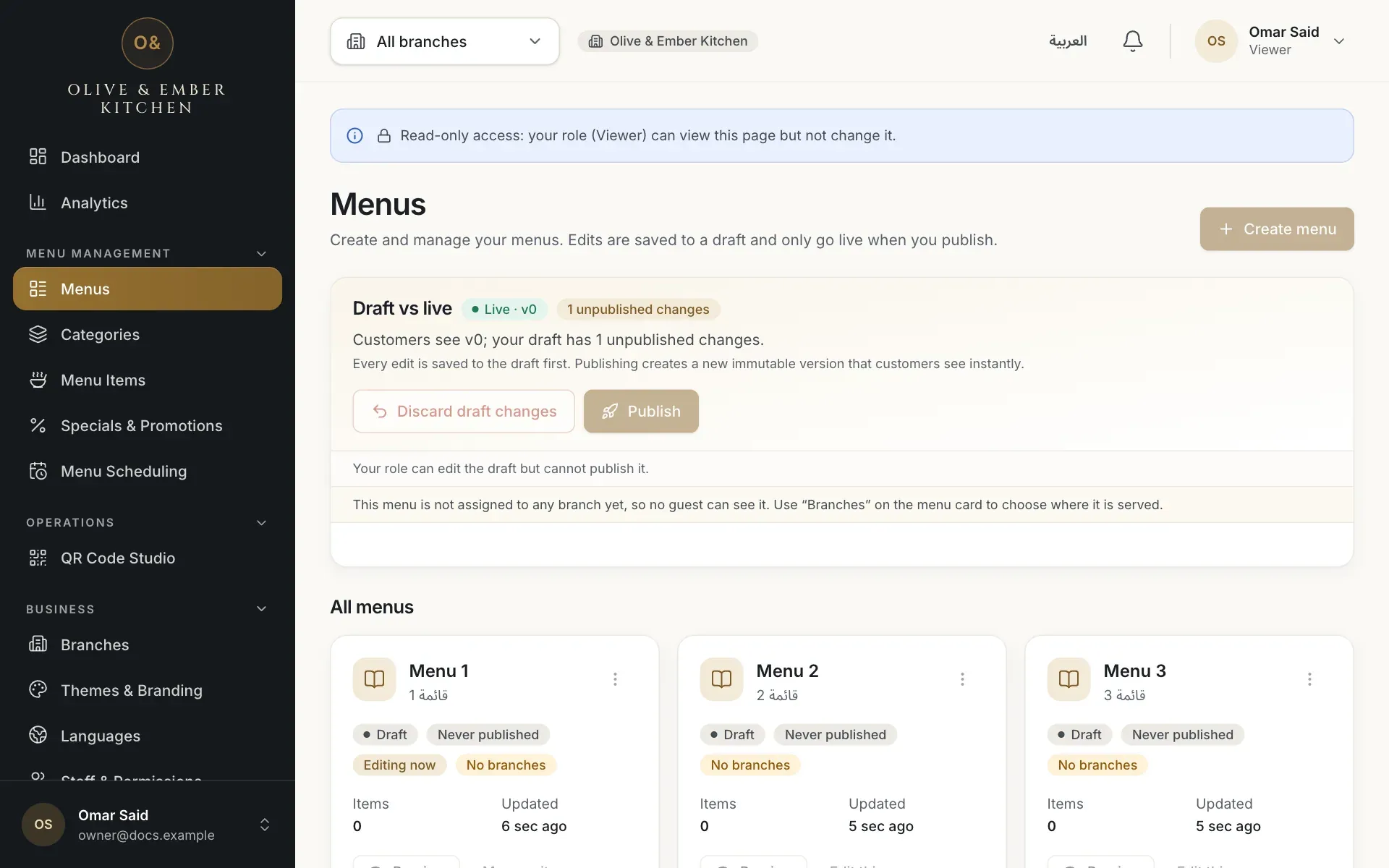
- The read-only access banner
Orders, tables and waiter requests are shown only to the roles that need them. Ask the restaurant owner if you need to see them.
An administrator paused your access. Ask them to restore it, or switch to another restaurant.
You can manage only people with a lower role than yours, and never yourself.
The last owner cannot be removed or changed. Ownership cannot be transferred from the app.
Kitchen staff can use only the kitchen board. Other pages send you back to it.
Billing
You tried to create something beyond your plan: a menu, branch, table, QR code, team seat, storage or an ordering mode that is not included. Open Subscription & Billing to see which meter is full and choose a plan with a higher limit. Nothing you already have is deleted. This message is always in English.
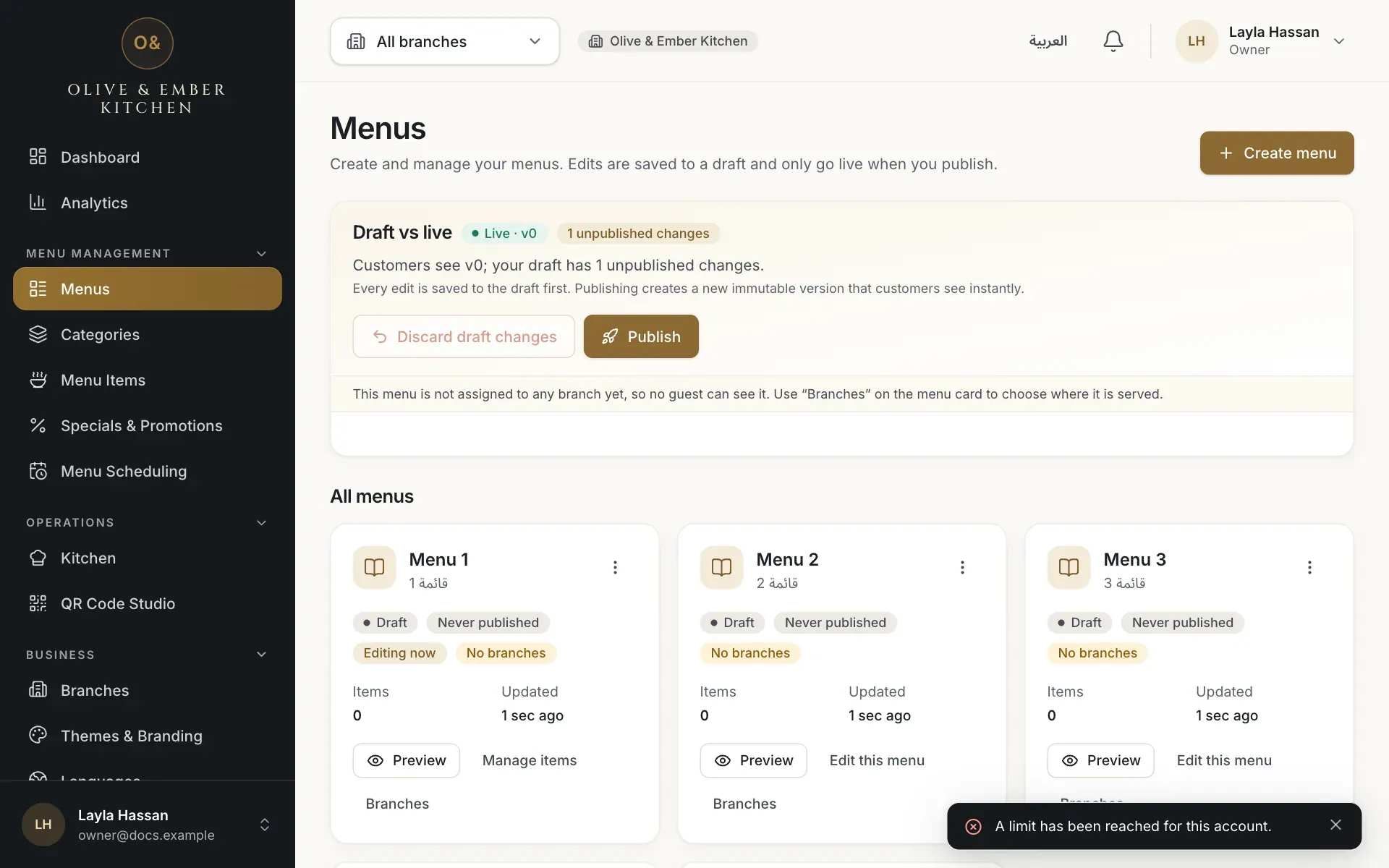
- The limit message
Only the owner can create payment requests. Others can see the plan and the meters.
RothDine has not set up its bank details for transfers yet, so payment requests are switched off. Your restaurant keeps working. Check back later.
Only one payment request can be open. Finish it or cancel it, then start another.
Each receipt can back one payment only. Upload the receipt of the transfer for this request.
While a higher plan is paid and running, a lower plan is available only once that term ends.
The trial or paid term, and the grace period, are over. Renew by bank transfer: see Pay by bank transfer.
Related guides
- Help & troubleshootingContact supportThe ways to reach RothDine, what to include in your message, and what support will never ask you for.
- Help & troubleshootingGlossaryPlain-language meanings of the words used in RothDine, from A to Z.
- Plans & billingPlans and limitsSee your current plan, what each plan includes, and how much of your limits you have used.
- Plans & billingPay by bank transferChoose a plan, transfer the exact amount, upload your receipt and follow the request until RothDine approves it.