
Restaurant profile
Set your restaurant's Arabic name, taglines and contact details, and learn what guests do and do not see.
- Goal
- Your restaurant profile is saved with an Arabic name, taglines and contact details, and you know which of them guests actually see.
- Before you start
- A restaurant created in RothDine
- Owner or admin access (other roles see the page read-only)
The profile lives on Restaurant Settings, in the card Restaurant profile. Only owners and admins can change it.
Open Restaurant Settings
In the sidebar, under Account, choose Restaurant Settings. The card Restaurant profile is on the right. It starts with your restaurant name in Name (English); the other fields are empty.
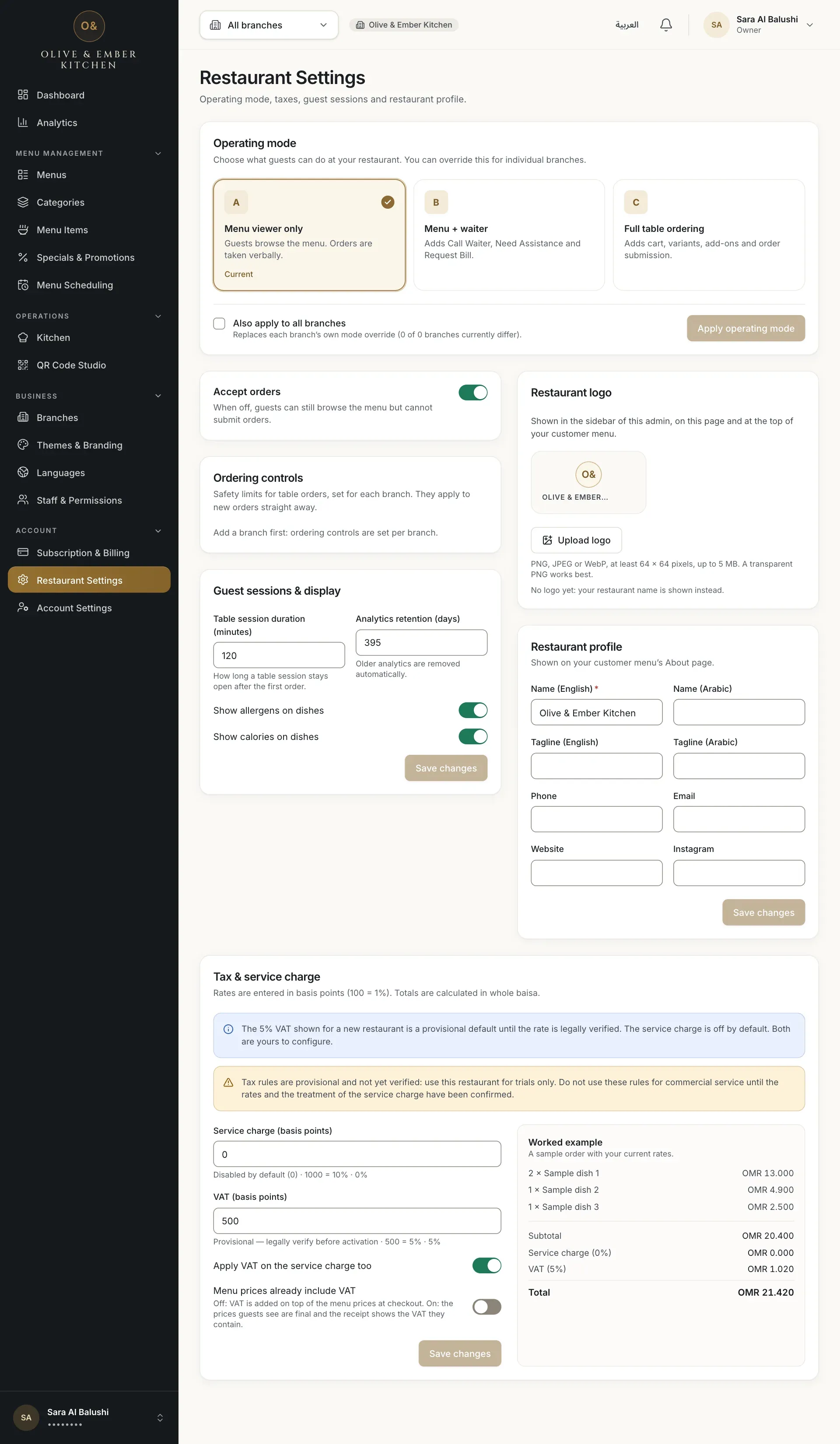
- The Restaurant profile card
Enter the names and taglines
Name (English) is required, 2 to 60 characters. Name (Arabic) is optional. Each tagline is up to 100 characters: Tagline (English) and Tagline (Arabic). The Arabic fields accept only Arabic letters; if you type Latin letters the field says Enter this in Arabic script.
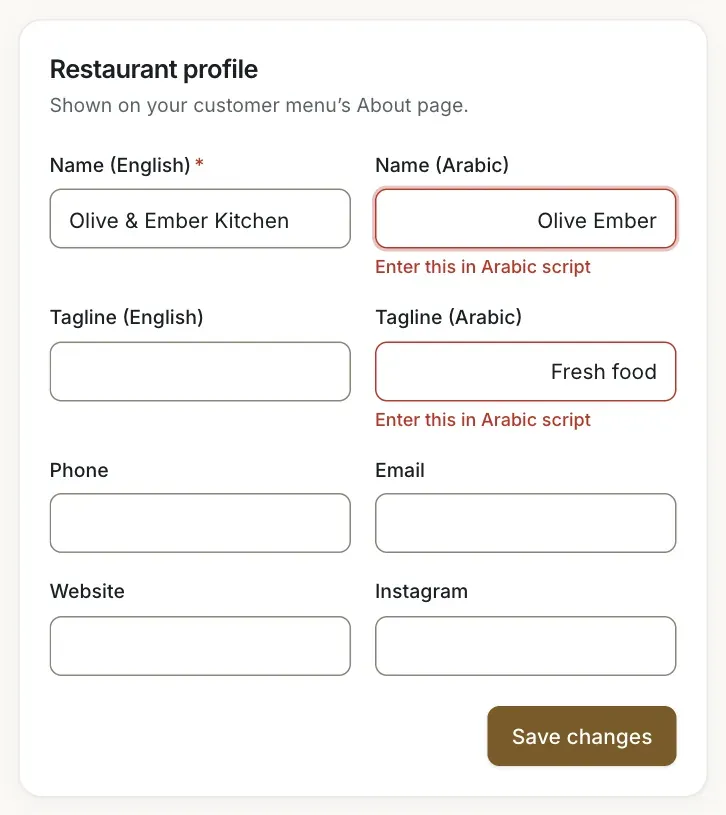
- Name (Arabic) with Latin letters
- Tagline (Arabic) with Latin letters
- The Save changes button
Add the contact details
Phone, Email, Website (up to 80 characters) and Instagram (up to 40) are optional. Type the Arabic text in Arabic letters, then check the card before you save.
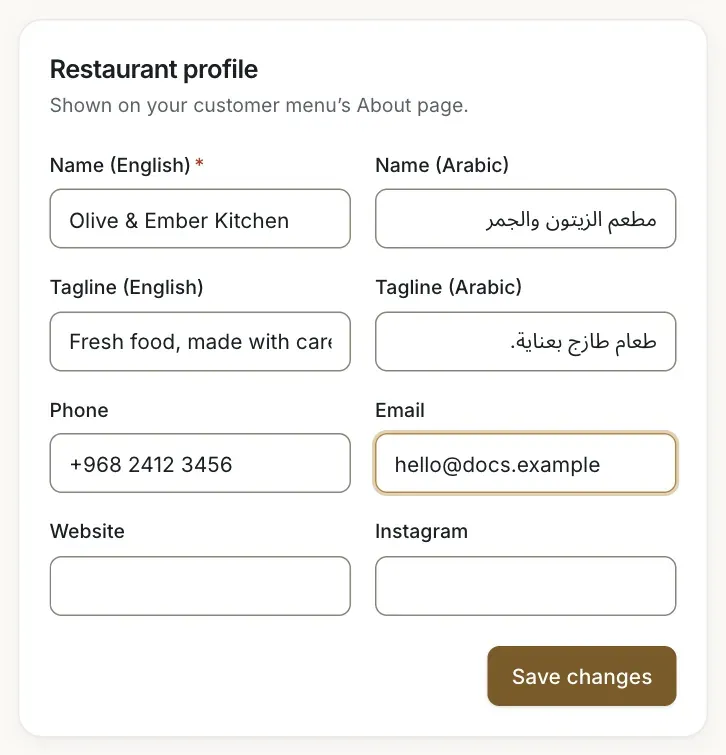
- Name (Arabic)
- Tagline (English)
- Tagline (Arabic)
- Phone
Save
Click Save changes in the card. The notice Changes saved. appears. Your names and taglines are stored for the guest menu.
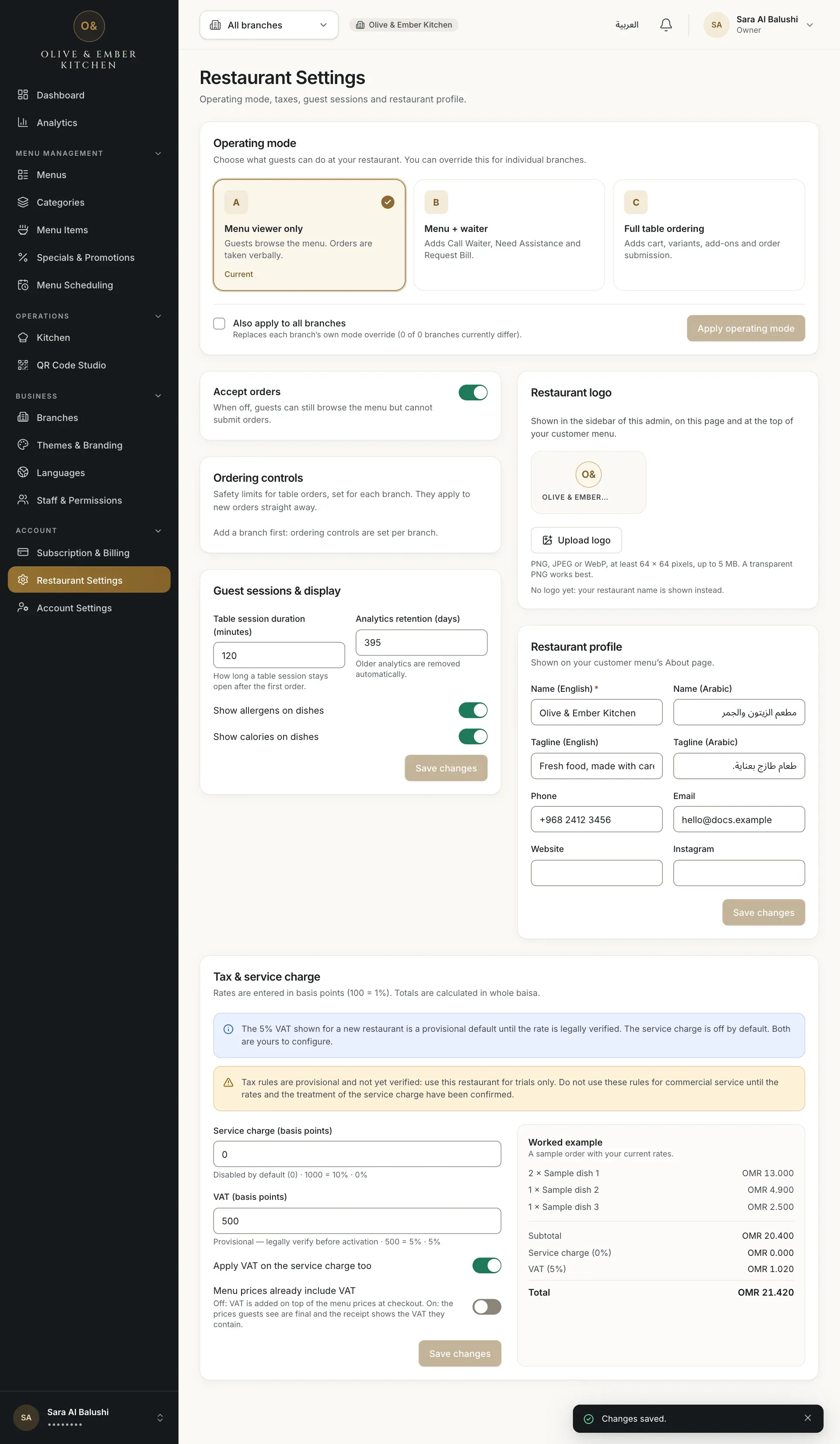
- The Save changes button of the profile card
See what guests see
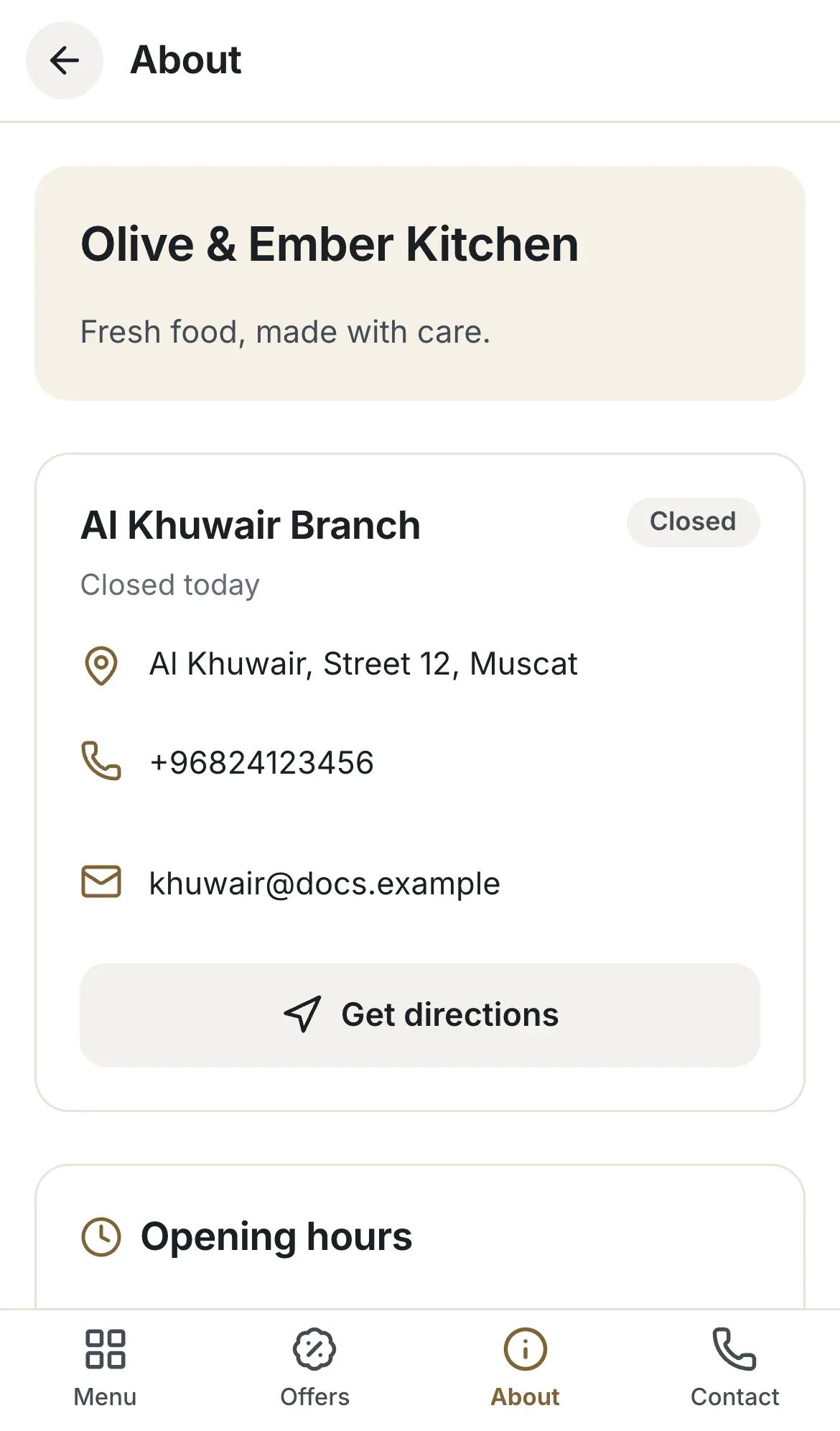
Open your menu on a phone and tap About. Guests see your restaurant name, the tagline you entered as the description, and the opening hours, address, phone and e-mail of the branch. The page follows the guest's language: a guest reading Arabic sees your Arabic name and tagline.
What guests do not see
The two taglines here are saved as the description on the About page. The tagline in the top banner of the menu is set in Themes & Branding, see Choose a theme. The phone, e-mail, website and Instagram you type here are not shown to guests: the contact buttons on the menu use the phone, e-mail and address of the branch, see Add a branch. Your logo is uploaded separately, see Upload your logo.
Troubleshooting
The Arabic name or tagline contains no Arabic letters. Switch your keyboard to Arabic and retype it. Numbers stay Latin (0-9).
The English name must be 2 to 60 characters. Taglines can be up to 100 characters.
The profile e-mail needs the form name@example.com. Remove spaces and check the @ sign.
Your role does not include changing settings. Ask an owner or admin to make the change.
Related guides
- Restaurant setupAdd a branchAdd your first branch with its names, address, phone and e-mail, and understand the branch limit.
- Restaurant setupEnglish and ArabicHow RothDine handles English and Arabic for staff and guests, what the Languages page really does, and how to enter Arabic names.
- Themes & brandingChoose a themePick one of seven themes, set an accent colour and tagline, preview it in English and Arabic, and save it to your guest menu.
- Themes & brandingUpload your logoAdd, replace or remove your restaurant logo and see where it appears in the dashboard and on the guest menu.