
Read your insights
Understand each insight card: what happened, the evidence, the period, why it may matter and what you might consider.
- Goal
- You can read an insight card, check its evidence in the charts, and you know why a card appears or does not.
- Before you start
- Your role may view analytics
- Enough orders, kitchen times or menu visits in the period (see the rules below)
Insights are plain sentences about your own numbers. They are simple fixed rules, not artificial intelligence, and they describe what happened in the period you chose. They do not predict, they do not promise sales or growth, and every card lists the numbers it used so that you can check it. An insight appears only when the data is enough to say something reliable. On a quiet period you may see none, and that is normal.
Open Insights
On the Analytics page click Insights under the filters. The cards follow the period and branch you chose. At most six cards are shown. Cards marked Worth a look come first, then cards marked Good to know.
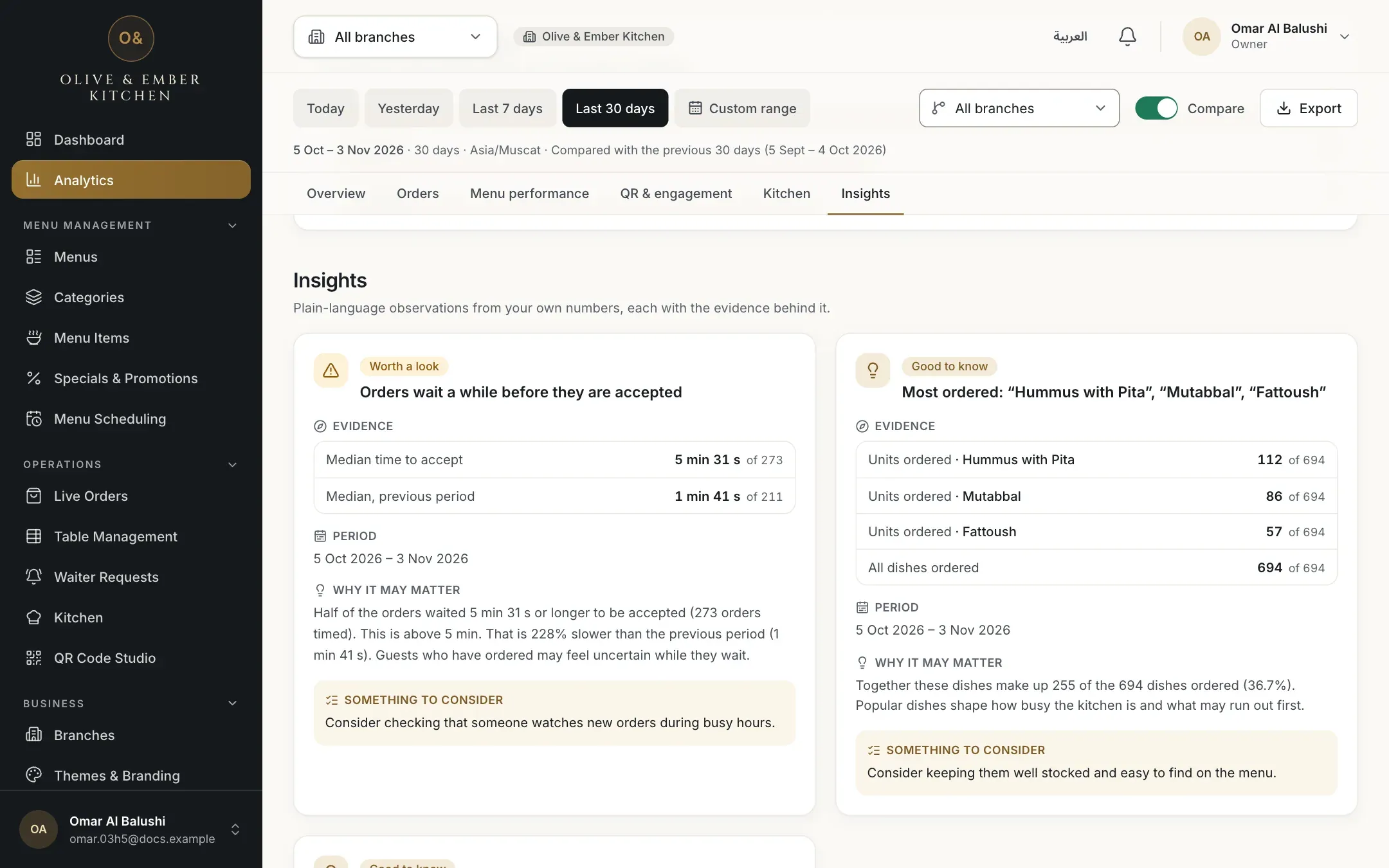
- The Insights section
- The insight cards
Read one card
Every card has the same parts:
- A label (Worth a look or Good to know) and a headline that says what happened.
- Evidence: the numbers behind it, each with the number of orders or visits it comes from, for example 5 min 31 s of 273.
- Period: the dates the card is about.
- Why it may matter: a short explanation in careful words such as "may".
- Something to consider: a suggestion to think about, never an instruction.
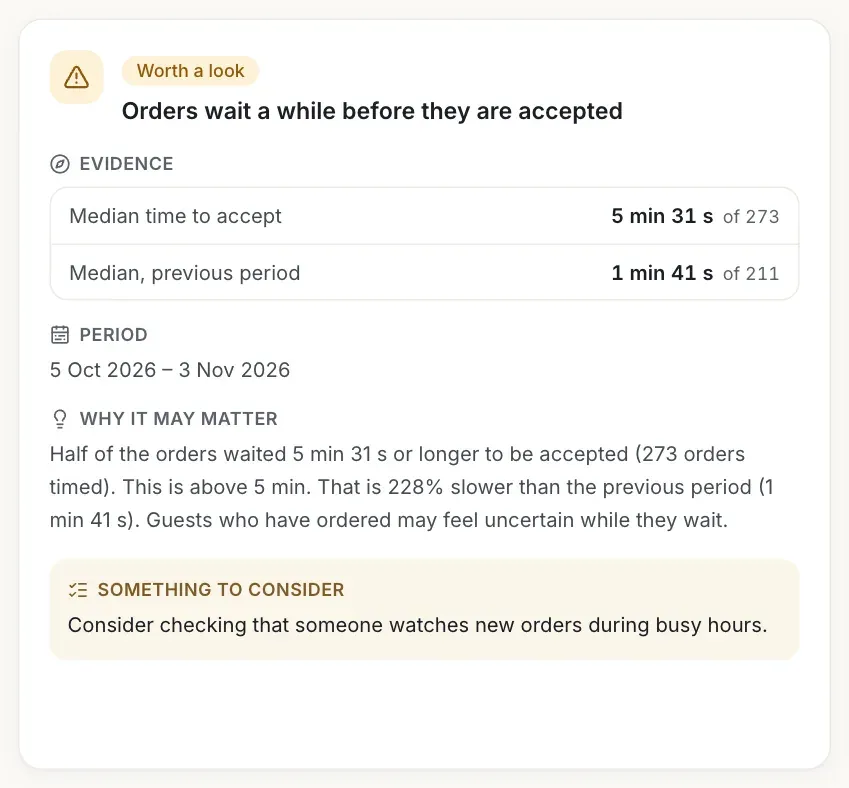
- The headline
- Evidence
- Period
- Why it may matter
- Something to consider
Check the evidence in the charts
Each number in the evidence is shown elsewhere on the page, so you can verify it. The busiest window is in Busiest days and hours. The most ordered dishes are in Most ordered dishes. Cancellation and acceptance times are in Orders by status and in the Kitchen section. If the numbers do not match your own knowledge of the restaurant, trust your knowledge and look at the period and branch in the filters.
Know when no card appears
If the period is too quiet, the section says No orders in this period or Not enough data yet and explains that insights appear when a period has enough orders, kitchen timings or menu visits. Choose a longer period or All branches. A card may also disappear when you change the period, because its rule is no longer met.
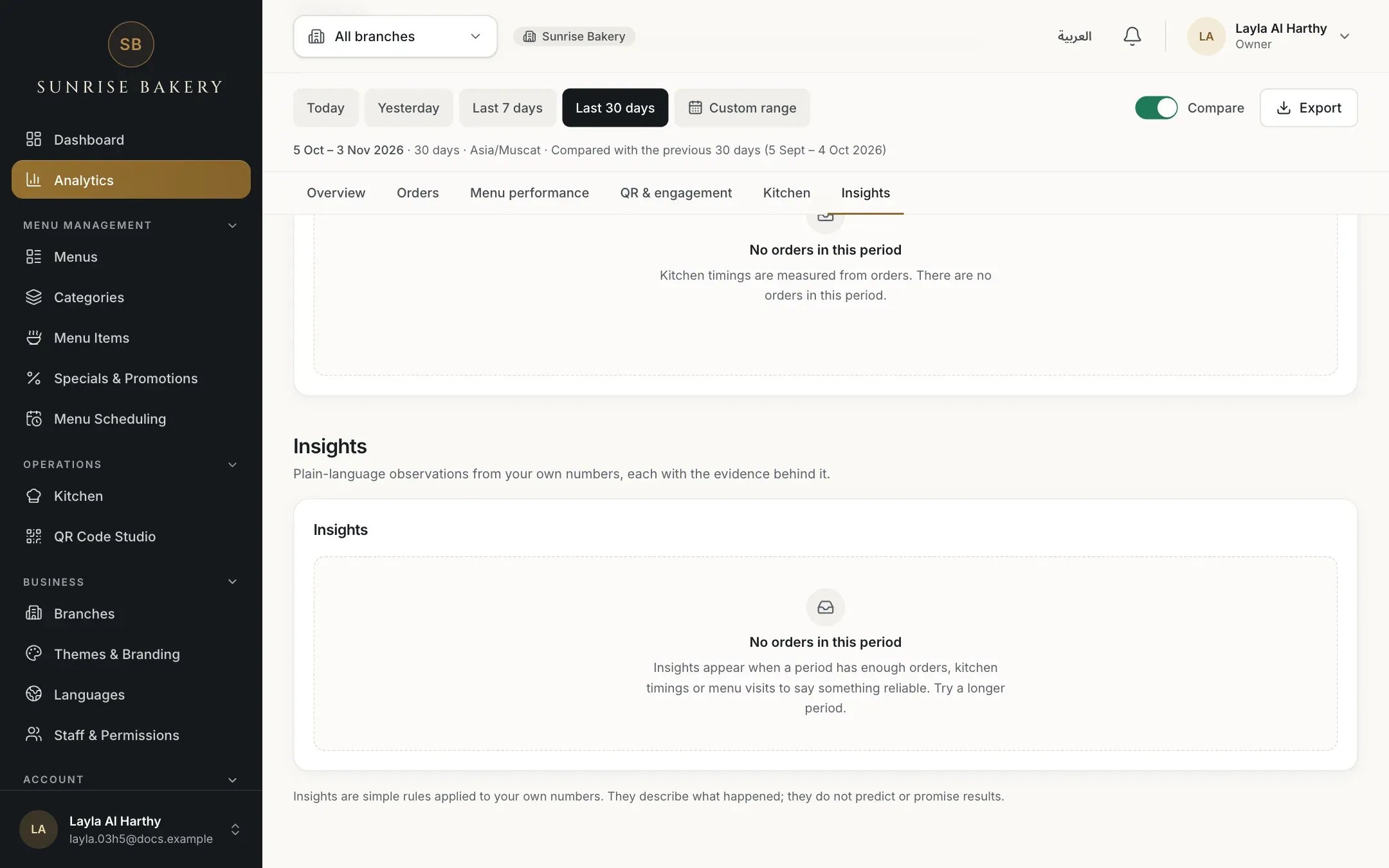
- The message that there is not enough data
The six rules
| Insight | It appears when |
|---|---|
| Busiest window | One weekday and hour has at least 8 orders and about one and a half times the average busy hour, and the period has at least 30 orders. |
| Most ordered dishes | At least 30 dishes were ordered. The three most ordered are named. |
| More orders cancelled or rejected | Both periods have at least 20 orders, at least 3 were cancelled or rejected now, and the share is at least 5 percentage points higher than in the previous period. |
| Orders wait before they are accepted | The median time to accept is over 5 minutes across at least 10 timed orders, or it is at least 50% slower than the previous period (both with at least 10 timed orders). |
| Kitchen starts peak at an hour | One hour holds at least a quarter of the preparations started, and there are at least 20 of them. |
| A category is viewed less | A category gets less than a quarter of the views of an average category, with at least 60 category views, 2 categories, and 7 days of counting. |
What insights never do
They do not forecast, they do not say how much you will earn, and they are not advice from a person. They only point at a pattern in your own recent numbers.
Troubleshooting
The period has too few orders, kitchen timings or menu visits for any rule. Choose a longer period or All branches.
There are no orders in the period or branch you chose, so there is nothing to describe. Orders appear as soon as guests submit them.
Insights are recalculated for the period and branch in the filters, and for the latest data. If the pattern no longer meets its rule, the card disappears. Choose the same period again to look at the earlier picture.
Check the period and the branch in the filters first, and open the charts named in the evidence. Insights are based on recorded orders and visits only. They cannot know about things that are not in RothDine.
Related guides
- Analytics and insightsRead your order analyticsSee how many orders you receive, when, from which tables, their recorded value, average order value and cancellation rate.
- Analytics and insightsCheck kitchen and service timesSee how long orders wait to be accepted, prepared and served, which orders were delayed, and when there is not enough data.
- Analytics and insightsSee which dishes performFind your most ordered dishes, compare categories and see which dishes and categories guests look at.
- Analytics and insightsUnderstand QR scans and menu visitsLearn exactly what QR scans, menu views, visitors, devices and time on menu count, and where these figures are less exact.