
See which dishes perform
Find your most ordered dishes, compare categories and see which dishes and categories guests look at.
- Goal
- You know which dishes and categories guests order and look at most, and how to read the lists.
- Before you start
- Your role may view analytics
- A published menu with some orders or visits
Menu performance answers two questions: what do guests order, and what do they look at? Orders come from the orders you received. Views come from guests opening dishes and categories on the menu. RothDine shows no cost, margin or profit for a dish, because it does not know your costs.
Open Menu performance
On the Analytics page click Menu performance under the filters. The two panels here follow the period and branch you chose and use only orders that were not cancelled or rejected.
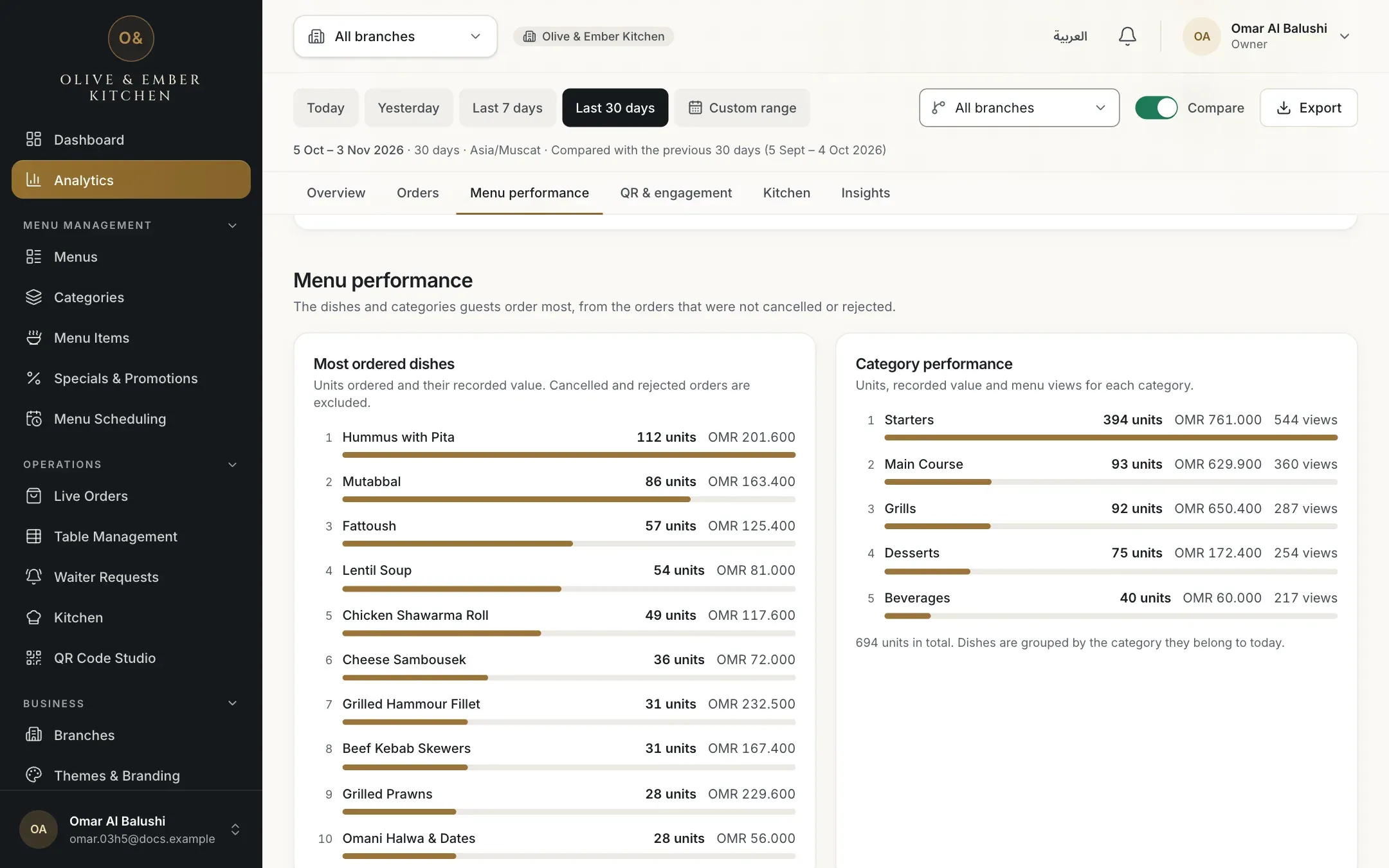
- The Menu performance section
- Most ordered dishes
- Category performance
Read the most ordered dishes
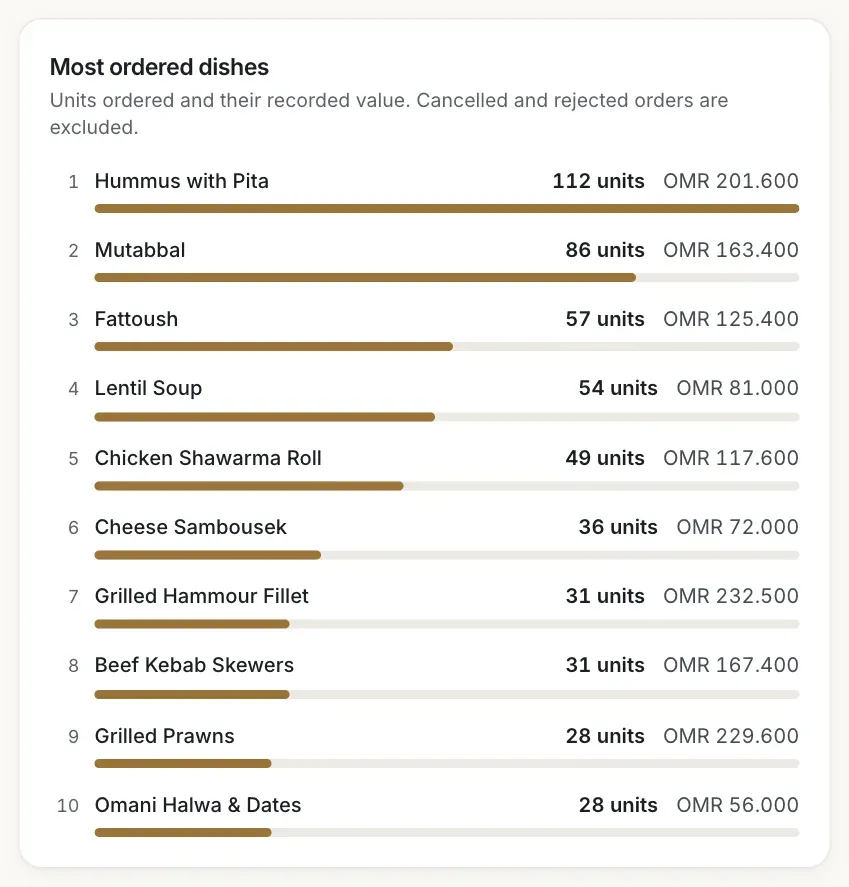
Most ordered dishes lists up to 10 dishes by the units ordered, for example 112 units, with the recorded value of those units. The bar compares each dish with the first. A dish ordered twice in one order counts two units. The value is what guests ordered, not payments received.
A dish keeps the name it had in its most recent order of the period. If you renamed a dish, it appears under the name of its latest order. If you deleted a dish, its past orders stay in the list under the name they had.
Compare categories
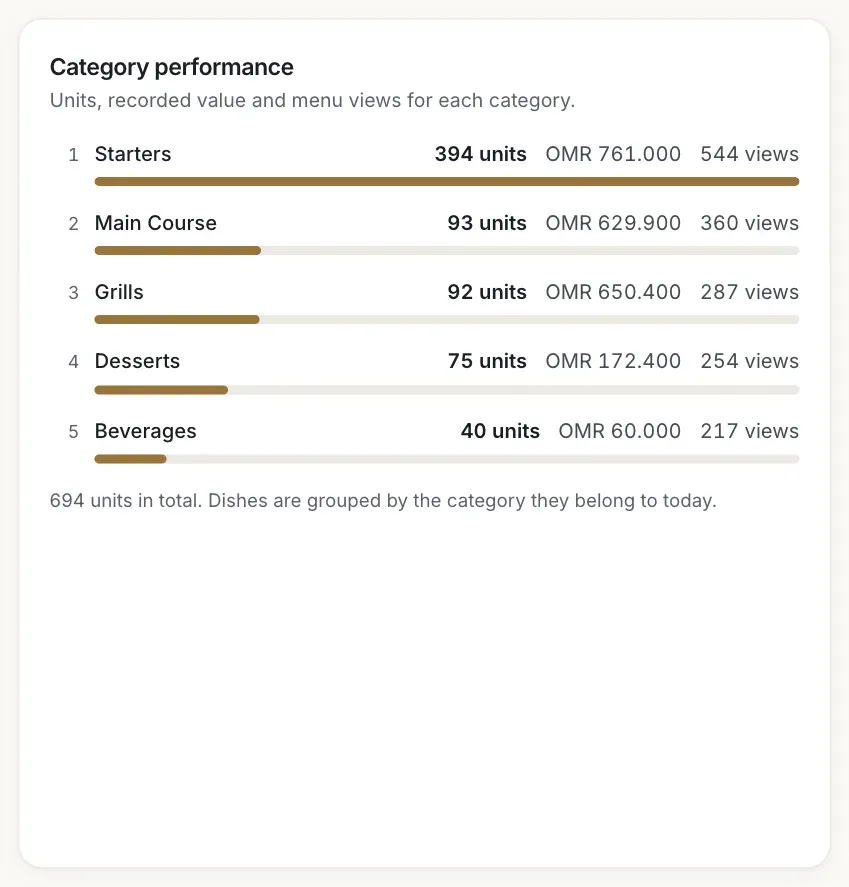
Category performance shows, for each category, the units ordered, their recorded value and the menu views. Dishes are grouped by the category they belong to today, so moving a dish to another category also moves its past orders. A dish that is no longer on the menu is grouped under Other (no longer on the menu). The note under the list gives the total units. If counting visits was not active in the period, the views are left out and a note says so.
See what guests look at
Open QR & engagement and find What guests look at. It lists the most viewed dishes and the most viewed categories. A view means a guest opened that dish or category. The same guest opening the same dish again in one visit counts once. Views exist only from the day counting began, so for older periods the panel stays empty.
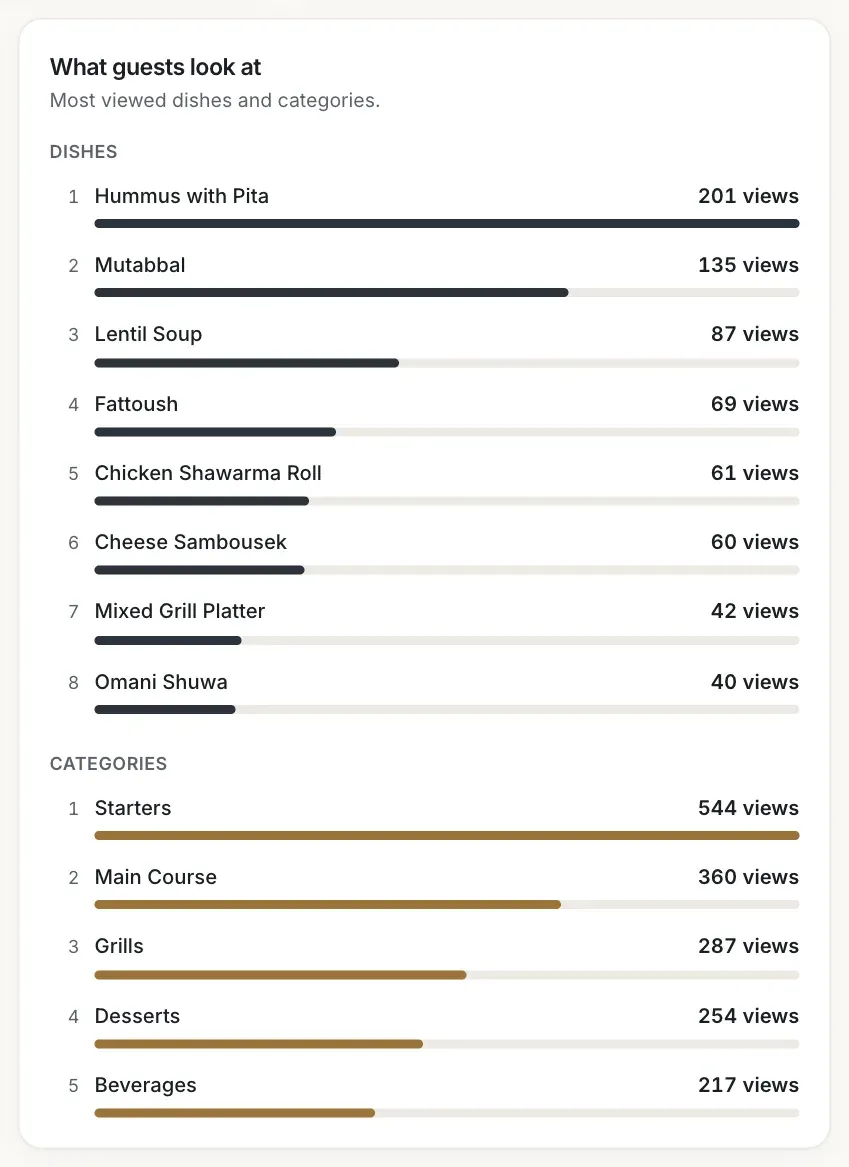
- Most viewed dishes
- Most viewed categories
Orders and views are different
A dish with many views and few orders may be hard to decide on, or priced differently from what guests expect. A dish with many orders and few views may be a favourite that guests ask for by name. The numbers show what happened. They do not say why.
Troubleshooting
Every order in this period was cancelled or rejected, so there are no dishes to rank. Choose a longer period.
Guests have not opened any dish or category in this period, or counting started after it. Choose a period from the day counting began.
The period is before counting visits began. The units and value are still correct, because they come from orders.
The list shows the name from the most recent order in the period. After guests order the dish under the new name, in a period that includes that order, the new name appears.
Related guides
- Analytics and insightsRead your order analyticsSee how many orders you receive, when, from which tables, their recorded value, average order value and cancellation rate.
- Analytics and insightsUnderstand QR scans and menu visitsLearn exactly what QR scans, menu views, visitors, devices and time on menu count, and where these figures are less exact.
- Analytics and insightsRead your insightsUnderstand each insight card: what happened, the evidence, the period, why it may matter and what you might consider.
- MenuManage categoriesAdd categories in English and Arabic, show or hide them, put them in order and delete one safely.
Read your order analytics
See how many orders you receive, when, from which tables, their recorded value, average order value and cancellation rate.
Understand QR scans and menu visits
Learn exactly what QR scans, menu views, visitors, devices and time on menu count, and where these figures are less exact.